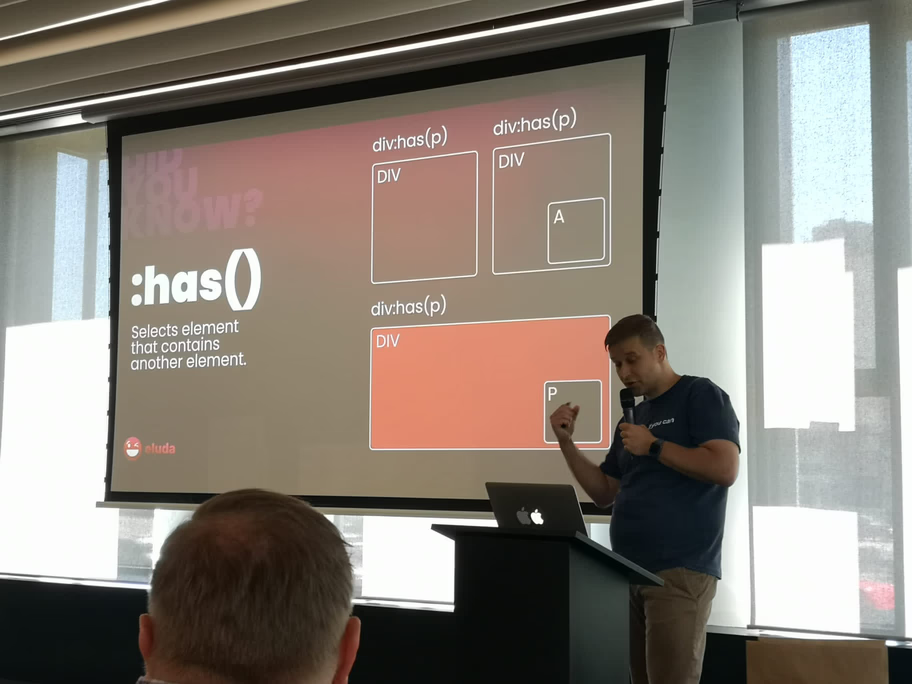
At the recent WordUp Trojmiasto meetup, I had the pleasure of talking about AMP (Accelerated Mobile Pages). It was a hot topic back then, and it remains a controversial but interesting technology in 2026.
The presentation context
WordUp Trojmiasto is one of Poland’s longest-running WordPress meetups, bringing together developers, designers, and WordPress enthusiasts from the Tricity area (Gdańsk, Gdynia, Sopot). My presentation on AMP came at a time when Google was heavily promoting the technology, and many WordPress developers were trying to understand whether it was worth implementing.
The Audience:
- WordPress developers and agencies
- Site owners considering AMP
- E-commerce store managers
- Performance-focused developers
The Questions:
- Is AMP worth the implementation effort?
- How does it affect SEO?
- What about WooCommerce compatibility?
- Can we maintain our branding?
Understanding AMP: What it really is
The technical definition
AMP (Accelerated Mobile Pages) is essentially a stripped-down HTML framework restricted by Google to ensure instant loading. It’s built on three core components:
- AMP HTML: A subset of HTML with custom tags
- AMP JS: A JavaScript library for rendering
- AMP Cache: Google’s CDN for serving AMP pages
Key restrictions
No Custom JavaScript:
- Only approved AMP components allowed
- No
onclickhandlers - No custom event listeners
- Limited interactivity
Strict CSS Limits:
- Maximum 50KB of inline CSS
- No external stylesheets (except for fonts)
- CSS must be in
<style amp-custom>tag - No
!important(mostly)
Performance Requirements:
- Images must have dimensions
- No render-blocking resources
- Async loading only
- Preconnect to external resources
How AMP works
User clicks link → Google Cache serves AMP → Instant load → User sees contentThe Magic:
- Google pre-renders AMP pages
- Pages stored in Google’s CDN
- Instant delivery when clicked
- Sub-second load times
Why use AMP? The original value proposition
1. Speed: The primary benefit
Before AMP:
- Average mobile page: 8-15 seconds load time
- High bounce rate on slow pages
- Poor user experience
With AMP:
- Load time: <1 second
- Pre-rendered by Google
- Instant content delivery
Real-World Impact:
- 10-30% reduction in bounce rate
- 20-40% increase in page views
- Better mobile user experience
2. Visibility: The SEO advantage (historical)
The “Top Stories” Carousel:
- Previously exclusive to AMP pages
- Prime real estate in Google search
- Significant traffic boost
- High click-through rates
What This Meant:
- News sites saw 2-3x traffic increase
- E-commerce sites got featured placement
- Bloggers gained visibility
- Publishers prioritized AMP
3. Mobile-First indexing
Google’s Strategy:
- Mobile-first indexing launched
- AMP optimized for mobile
- Better mobile rankings
- Improved Core Web Vitals
The “dark side” of AMP: Real concerns
1. Url confusion
The Problem:
Users see google.com/amp/yoursite.com instead of your real domain.
Why It Matters:
- Branding confusion
- Users don’t recognize your domain
- Reduced direct traffic
- Lower brand awareness
The Fix: Signed Exchanges (SXG):
- Allows AMP pages to show your domain
- Requires technical setup
- Not widely adopted
- Complex implementation
2026 Status: SXG is available but rarely used. Most sites still show Google’s domain in AMP URLs.
2. Design limitations
The Restrictions:
- Limited CSS (50KB max)
- No custom JavaScript
- Restricted HTML elements
- Fewer design options
Impact:
- Hard to maintain consistent branding
- Reduced design flexibility
- Limited interactivity
- Generic-looking pages
Workarounds:
- Use AMP components
- Leverage AMP templates
- Accept design compromises
- Focus on content over design
3. Development overhead
What’s Required:
- Separate AMP templates
- AMP-specific CSS
- Testing AMP versions
- Maintenance of two codebases
Cost:
- Development time: 20-40 hours
- Ongoing maintenance
- Plugin compatibility issues
- Theme modifications
4. Analytics challenges
The Problem:
- AMP pages use different analytics
- Tracking can be inconsistent
- Conversion tracking complex
- User journey fragmentation
Solutions:
- Use AMP Analytics component
- Implement server-side tracking
- Use Google Analytics AMP extension
- Accept tracking limitations
Is AMP dead IN 2026? The current state
The core web vitals shift
With the introduction of Core Web Vitals in 2021, Google stopped requiring AMP for the “Top Stories” carousel. This was a game-changer.
What Changed:
- AMP no longer required for Top Stories
- Fast sites can rank without AMP
- Core Web Vitals are the new standard
- Performance matters more than format
The New Reality: If your standard WordPress site is fast enough (passes Core Web Vitals), you don’t need AMP.
Who still uses AMP?
1. News Publishers:
- High traffic volumes
- Server load reduction
- Google Cache benefits
- Still see traffic benefits
2. Content-Heavy Sites:
- Blog networks
- Media companies
- News aggregators
- High-traffic blogs
3. E-commerce (Rarely):
- Product pages (limited)
- Category pages (sometimes)
- Homepage (rarely)
- Checkout (never)
The 2026 verdict
AMP is Not Dead, But It’s Niche:
- Still used by major publishers
- Less relevant for most sites
- Replaced by Core Web Vitals focus
- Optional, not required
When to Consider AMP:
- ✅ High-traffic news site
- ✅ Server load concerns
- ✅ Google Cache benefits needed
- ✅ Mobile-first audience
When to Skip AMP:
- ❌ Standard business site
- ❌ E-commerce store
- ✅ Site already fast (CWV passing)
- ✅ Design flexibility important
Implementing AMP IN WordPress
The official AMP plugin
Installation:
wp plugin install amp --activateFeatures:
- Automatic AMP page generation
- Template customization
- Component support
- Analytics integration
Configuration:
- Install plugin
- Configure templates
- Test AMP pages
- Submit to Google Search Console
AMP modes
1. Standard Mode:
- Full AMP pages
- Maximum performance
- Most restrictions
2. Transitional Mode:
- AMP + non-AMP versions
- Gradual migration
- Less restrictive
3. Reader Mode:
- AMP for specific templates
- Selective implementation
- Most flexible
Common implementation challenges
1. WooCommerce Compatibility:
- Product pages complex
- Cart functionality limited
- Checkout not AMP-compatible
- Requires custom solutions
2. Form Handling:
- Contact forms need AMP components
- Limited validation options
- Server-side processing required
- Reduced interactivity
3. Custom Functionality:
- JavaScript restrictions
- Limited third-party integrations
- Custom features may not work
- Requires AMP alternatives
Alternatives to AMP IN 2026
1. Core web vitals optimization
Focus Areas:
- Largest Contentful Paint (LCP) < 2.5s
- First Input Delay (FID) < 100ms
- Cumulative Layout Shift (CLS) < 0.1
How to Achieve:
- Image optimization (AVIF/WebP)
- Lazy loading
- Code splitting
- CDN usage
- Caching strategies
2. Progressive web apps (PWA)
Benefits:
- App-like experience
- Offline functionality
- Push notifications
- Better than AMP for interactivity
WordPress Solutions:
- PWA plugin
- Service workers
- Web app manifest
- Offline support
3. Headless WordPress
Benefits:
- Complete control
- Modern frameworks
- Better performance
- No AMP restrictions
Trade-offs:
- More complex setup
- Higher development cost
- Requires technical expertise
Real-World case studies
Case study 1: News publisher
Situation: Major news site with 10M+ monthly visitors
AMP Implementation:
- Full AMP for all articles
- 60% traffic from AMP
- Server load reduced by 40%
- Still using AMP in 2026
Results:
- Faster load times
- Lower server costs
- Better mobile experience
- Continued traffic benefits
Case study 2: E-commerce store
Situation: WooCommerce store considering AMP
Decision: Decided against AMP
Reasons:
- Product pages too complex
- Cart functionality needed
- Design flexibility important
- Core Web Vitals sufficient
Alternative:
- Optimized for Core Web Vitals
- Improved caching
- Image optimization
- CDN implementation
Results:
- Fast load times without AMP
- Full design flexibility
- Better conversion rates
- Easier maintenance
Best practices for AMP (if you use it)
1. Selective implementation
Don’t AMP everything:
- ✅ Blog posts
- ✅ News articles
- ❌ Product pages
- ❌ Checkout pages
- ❌ Complex interactive pages
2. Maintain branding
- Use AMP templates
- Customize colors/fonts
- Add your logo
- Maintain visual identity
3. Test thoroughly
- Test on real devices
- Check analytics
- Monitor Core Web Vitals
- Verify functionality
4. Monitor performance
- Track AMP vs. non-AMP traffic
- Compare conversion rates
- Monitor server load
- Analyze user behavior
The future of AMP
Current trends (2026)
Declining Usage:
- Fewer sites implementing AMP
- More focus on Core Web Vitals
- Better alternatives available
- Reduced Google promotion
Still Relevant For:
- High-traffic news sites
- Content-heavy publishers
- Sites with server load issues
- Google Cache beneficiaries
What’s next?
Possible Scenarios:
- AMP Fades Away: Replaced by Core Web Vitals focus
- AMP Evolves: Becomes more flexible, less restrictive
- AMP Niche: Remains for specific use cases
- AMP Rebranded: Becomes part of broader performance initiative
Summary: AMP IN 2026
AMP remains a valid technology, but it’s no longer the default choice for WordPress sites.
Key Takeaways:
- ✅ Still useful for high-traffic news sites
- ✅ Google Cache reduces server load
- ❌ Not required for SEO anymore
- ❌ Design limitations remain
- ✅ Core Web Vitals are the new standard
When to Use AMP:
- High-traffic news/media sites
- Server load concerns
- Google Cache benefits needed
- Mobile-first, content-heavy sites
When to Skip AMP:
- Standard business sites
- E-commerce stores
- Design flexibility important
- Site already fast (CWV passing)
The Bottom Line: AMP isn’t dead, but it’s no longer essential. Focus on Core Web Vitals optimization first. If you still need AMP after that, implement it selectively.
Slides & resources
Thank you to everyone who attended WordUp Trojmiasto and asked tough questions about implementing AMP with WooCommerce! Your questions helped shape this comprehensive guide.
Resources:
- Official AMP Plugin
- AMP Project Documentation
- Core Web Vitals (guide)
- AMP Overview (updated for 2026)
WordUp Trojmiasto:
- One of Poland’s longest-running WordPress meetups
- Monthly meetups in Gdańsk/Gdynia/Sopot
- Great community of WordPress developers
- Always welcome new members!