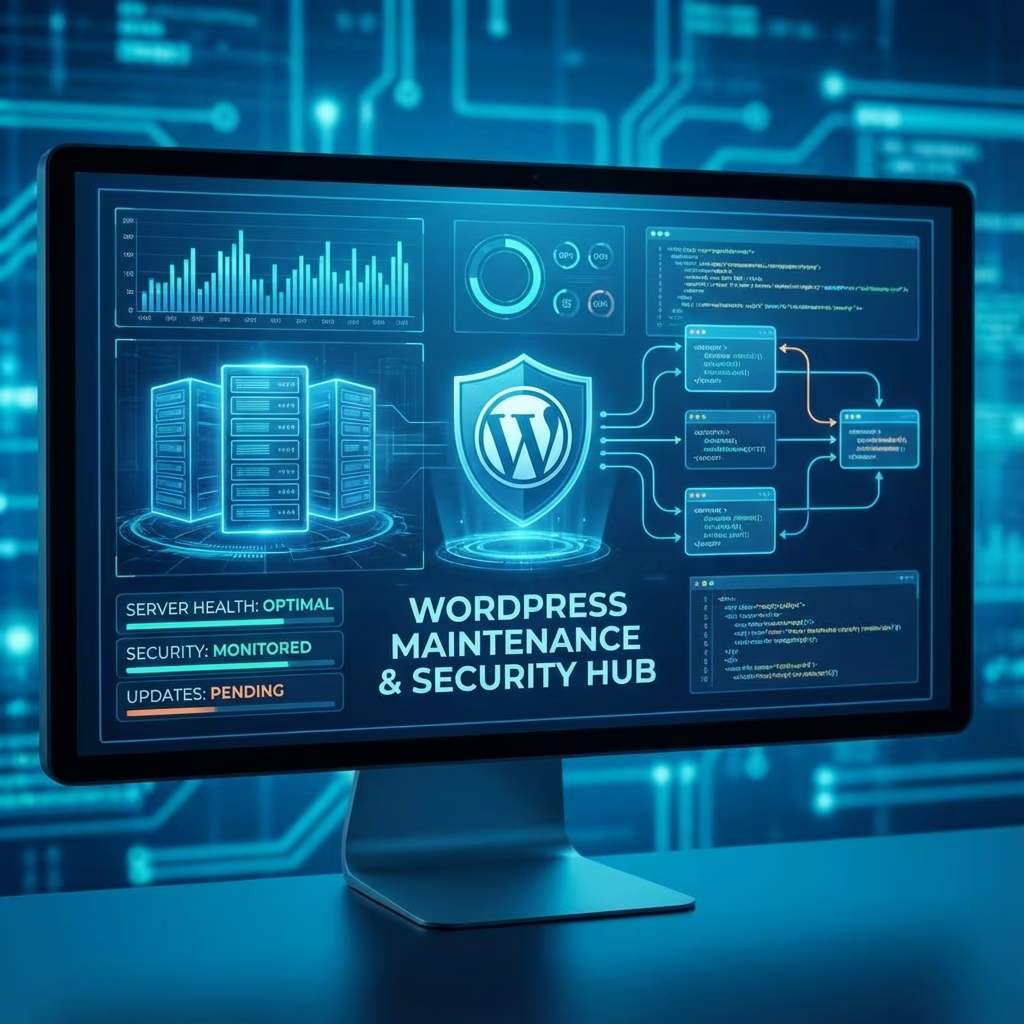
Who: WPPoland provides professional WordPress maintenance with 20+ years experience, 500+ supported sites, and 24/7 technical support.
What: Comprehensive WordPress maintenance including daily backups, security monitoring, updates, Core Web Vitals optimization, malware removal, and emergency support.
Where: Remote maintenance services worldwide from Gdynia, Poland. Support available in English, Polish, German, Norwegian, and Portuguese.
How much:
- Basic Plan: individual quote (backups, updates, monitoring)
- Standard Plan: individual quote (adds optimization, support hours)
- Premium Plan: individual quote (adds development time, priority support)
- Enterprise: individual quote (dedicated support, SLA)
- Emergency Response: < 4 hours
Most WordPress sites do not die from one big event. They die from twenty small things nobody had time to look at: a Wordfence alert that got muted, a plugin pinned to 2.4.1 because 2.5 broke the booking form, a backup that has been running green for two years and has never actually been restored. Maintenance, done seriously, is the practice of doing those twenty small things on a schedule before they line up into one bad Friday afternoon.
Here is what our cadence actually looks like on a managed site. Every week we run minor patches and security releases through WP-CLI in a staging clone, smoke-test the critical paths (login, checkout, contact form, search), and push to production inside a defined window. Once a month we review major plugin versions, read the changelogs that matter, and decide what gets upgraded versus what gets pinned and watched. Once a quarter we audit the full plugin list and remove anything abandoned, replaced, or only doing what core does in 2026. Twice a year we run a full security review: file integrity, user accounts, capabilities, exposed endpoints, and the staging-versus-production diff.
What goes wrong, and why it goes wrong on a Friday
The honest sales pitch for maintenance is the list of incidents we have either prevented or cleaned up. They tend to look like this.
A plugin update broke checkout on a Friday at 4 p.m. The shop owner approved auto-updates two years ago and forgot. WooCommerce minor went out, conflicted with a payment gateway add-on, and silent-failed at the place order step. Customers saw a spinner. The owner saw normal traffic in Analytics and no orders in the dashboard. We caught it through Better Uptime synthetic checks hitting the cart endpoint, rolled the gateway plugin back through WP-CLI in under three minutes, and filed the actual fix for Monday in staging.
A WordPress core auto-update triggered a fatal in a custom theme. The theme called a function that core deprecated two majors earlier and finally removed. The site went white at 3 a.m. Polish time. Without WP_DEBUG_LOG writing somewhere we could read, this is a pure guess. With it, we had the file, the line, and the fix-forward patch ready before the client’s morning standup.
A wp_options table autoload field reached 12 MB. Every page load on every request was pulling that blob out of MySQL. The site felt fine on the developer’s M2 laptop and felt like 1998 on real mobile networks. The fix was eight lines of wp option commands and a transient sweep, but nobody had been measuring the right thing, so it had been quietly degrading for nine months.
None of these are exotic. They are what happens when nobody owns the boring middle of WordPress operations.
The maintenance work, named honestly
Backups, and the part most agencies skip
Backups are not the work. Restores are the work. UpdraftPlus, BlogVault, BackupBuddy, the snapshot tool baked into the host, all of them produce files that sit in a bucket somewhere and look healthy until the day you need them. Once a month we restore a real backup into a sandbox, log in, click around, run wp db check, and confirm the site comes back. The number of times we have inherited a site whose “daily backup for three years” turned out to be a corrupted zip is not zero.
Off-site means a different provider in a different jurisdiction than your hosting account. If your hosting provider gets locked, suspended, or simply has a bad day, a backup stored on the same control panel is not a backup. We separate the database from the uploads folder so you can restore content without rolling user accounts and orders back to last Tuesday.
Security Monitoring
Continuous security monitoring scans for indicators of compromise: suspicious file modifications, unauthorized user accounts, and known malware signatures. Early detection enables rapid response before significant damage occurs.
Uptime monitoring verifies your site remains accessible. When outages occur, monitoring alerts trigger immediate investigation, often resolving issues before most visitors notice problems.
Firewall configuration and web application protection add layers of defense against common attack vectors. These systems block malicious traffic before it reaches your WordPress installation.
Update Management
WordPress core updates, plugin updates, and theme updates require careful management. Applying updates without testing risks breaking site functionality, yet waiting too long exposes security vulnerabilities. Professional maintenance balances these concerns through staged updates.
Testing environments replicate your live site, allowing updates to be applied and verified before production deployment. When updates cause problems, instant rollback restores previous functionality while issues get resolved.
Update scheduling considers your site traffic patterns, applying changes during low-activity periods to minimize business impact. Emergency update procedures exist for critical security patches requiring immediate deployment.
Performance Optimization
Ongoing performance monitoring tracks Core Web Vitals metrics that Google uses for ranking. When performance degrades, optimization interventions restore optimal performance before search rankings suffer.
Database optimization removes accumulated overhead: post revisions, transient data, spam comments, and orphaned metadata that slow queries over time. Regular optimization keeps database operations efficient.
Image optimization and caching configuration maintain fast page loads as content grows. These technical optimizations happen automatically, requiring no intervention from you.
Developer Support
Maintenance plans typically include developer hours for small changes and troubleshooting. Rather than hourly rates for every request, included hours provide predictable costs for ongoing needs: content adjustments, minor functionality changes, and question resolution.
Priority support ensures your questions receive fast answers. Emergency channels exist for urgent issues requiring immediate attention beyond standard business hours.
Understanding Maintenance Plans
Different business needs require different maintenance levels. Understanding plan options helps you select appropriate coverage.
Basic Maintenance Plans
Basic plans suit smaller sites with limited functionality: blogs, brochure sites, and small business presentations. Coverage typically includes automated backups (daily or weekly), WordPress core updates, plugin and theme updates, basic security monitoring, and email support during business hours.
Basic plans typically cost between monthly ad grant depending on provider and site complexity. This minimal coverage protects against data loss and ensures basic security, though response times for issues may be slower than premium tiers.
Standard Maintenance Plans
Standard plans add capabilities that growing businesses need: more frequent backups (daily), performance optimization, priority support with faster response times, developer hours for small changes, and more comprehensive security scanning.
Standard plans typically cost monthly ad grant, representing the sweet spot for most small to medium businesses. The included developer hours often cover routine needs, while faster support response provides confidence that urgent issues receive prompt attention.
Premium and Enterprise Plans
Premium plans serve demanding sites requiring guaranteed response times and comprehensive coverage: e-commerce platforms, membership sites, and high-traffic publications. Coverage adds dedicated support channels, extensive developer hours, advanced security measures, and service level agreements guaranteeing response times.
Enterprise plans provide comprehensive outsourcing of all technical aspects of your web presence: complete site management, custom development time, security audits, and strategic consultation. Costs vary widely based on site complexity and coverage scope, typically listed on the pricing page monthly.
The Real Cost of DIY Maintenance
While WordPress makes self-maintenance possible, the true cost of DIY care often exceeds professional maintenance costs, particularly when accounting for hidden expenses and risk.
Time investment for adequate maintenance includes weekly plugin and core updates (2-4 hours monthly), regular backup verification and testing (1-2 hours monthly), security monitoring and threat research (2-3 hours monthly), database optimization and performance tuning (1-2 hours monthly), and troubleshooting when issues arise (unpredictable). This adds to 6-15 hours monthly for adequate basic maintenance.
Even at minimum wage, this time investment costs more than professional maintenance. At reasonable developer rates, DIY maintenance becomes significantly more expensive than outsourcing, and doesn’t include emergency response capability when problems occur.
Risk costs exceed financial considerations. One failed update causing site downtime may cost more in lost business than years of professional maintenance. Security breaches carry regulatory penalties under GDPR, reputational damage with customers, and recovery costs that dwarf maintenance investments.
Professional maintenance provides predictable costs, guaranteed response times, and peace of mind that DIY effort cannot match. For most businesses, the question isn’t whether professional maintenance makes sense, it’s which plan provides appropriate coverage.
Common Maintenance Questions Answered
How quickly are emergency issues responded to?
Response times vary by plan level. Basic plans typically receive responses within 24-48 hours during business days. Standard plans guarantee same-business-day responses. Premium and enterprise plans provide response within hours, often under 4 hours for critical issues. Emergency procedures exist for urgent matters regardless of plan level.
What happens if my site is hacked?
Our incident response process begins immediately upon hack detection or report. Initial containment protects your site and data. Investigation determines attack vector and scope. Cleanup removes all malicious code and restores legitimate functionality. Hardening prevents recurrence of the same attack type. Post-incident documentation explains what happened and how to prevent recurrence.
Can I keep my current hosting provider?
Yes, maintenance services work with virtually any hosting provider. We assess your current hosting’s adequacy and may recommend improvements if your current setup limits performance or security. Many clients maintain existing hosting relationships while outsourcing maintenance to us.
What about sites needing redesign or major changes?
Maintenance plans can include development hours for improvements beyond basic care. For sites needing significant work, we provide quotes combining initial transformation with ongoing maintenance. This approach ensures your improved site remains properly maintained going forward.
Get Started with Professional Maintenance
Your WordPress site represents significant investment in your business. Protecting that investment requires ongoing attention that most business owners shouldn’t handle themselves. Professional maintenance provides comprehensive protection at predictable monthly costs, freeing you to focus on what you do best.
Contact us to discuss your site’s maintenance needs. We’ll evaluate your current situation, recommend appropriate coverage, and provide a transparent quote. Most clients find that professional maintenance costs less than DIY effort while providing dramatically better protection and support.
The peace of mind that comes from knowing your site is professionally maintained, with expert monitoring, timely updates, rapid emergency response, and knowledgeable support, proves valuable beyond the direct cost savings from avoided emergencies.
WordPress Maintenance for Different Business Types
Every WordPress site requires maintenance, but specific needs vary significantly by business type. Understanding your category helps ensure adequate coverage.
E-commerce Maintenance Requirements
Online stores face raised maintenance demands due to transaction processing, customer data handling, and constant product catalog changes. WooCommerce sites require additional attention to payment gateway compatibility, inventory system integration, and shopping cart functionality.
E-commerce maintenance must include PCI compliance verification, transaction monitoring, and accelerated security response. Customer trust depends on site reliability, downtime directly impacts sales. Premium maintenance coverage suits e-commerce sites best.
Membership Site Considerations
Sites with user accounts require maintenance attention to user data, registration systems, and access controls. Membership plugins introduce additional update requirements and potential compatibility issues.
Content delivery performance affects member satisfaction. Regular performance optimization maintains the responsive experience members expect. Security monitoring must detect unauthorized access attempts targeting user credentials.
Portfolio and Business Sites
Business presentation sites may have lower technical demands but still require reliable maintenance. Even brochure sites need security monitoring, backups, and update management.
These sites often serve as primary business touchpoints. Downtime damages professional image. Investment in professional maintenance protects business reputation.
Measuring Maintenance ROI
Professional maintenance delivers measurable returns beyond avoided emergencies. Understanding these returns helps justify maintenance investment.
Reduced Emergency Costs
Emergency developer rates typically exceed individual quote per hour, often significantly more for urgent response. Professional maintenance plans cost a fraction of emergency costs while including proactive attention preventing emergencies.
One avoided emergency incident justifies months or years of maintenance investment. The probability calculations favor maintenance, emergencies are not if, but when.
Improved Search Rankings
Google rewards sites delivering excellent user experiences. Core Web Vitals performance affects rankings. Regular optimization maintains the performance that supports search visibility.
Sites receiving consistent maintenance typically outperform competitors in search results. The ranking benefits compound over time as optimization accumulates.
Better Conversion Rates
Site speed directly affects conversion rates. Research consistently shows faster sites convert better. Maintenance keeps your site fast, supporting business goals beyond technical performance.
How maintenance actually gets billed (and the trap nobody warns you about)
There is no clean answer to “how much should this cost.” There are four real billing shapes, and they each fit a different kind of site.
Hourly retainer with rollover works for sites that have unpredictable months: a campaign-heavy marketing team, an agency reselling to its own clients, a site mid-renovation. You pay for a block of hours, unused hours roll forward one month, and we keep a shared log so you can see what was spent on what. This is honest but requires both sides to actually look at the log.
Fixed monthly with a cap is what most small business owners want. A defined scope, a defined response window, an explicit cap on developer hours per month, and overage billed at a known rate. The trap here is scope creep dressed up as “quick favors” – we name what is in and what is out in writing.
Incident-only on emergency call is for sites that have a competent in-house person who handles the routine and only needs a backstop when something is on fire at 11 p.m. We charge a retainer to keep the phone answered and time per incident.
The fourth shape is the one to avoid. “Free maintenance with hosting” almost always means automated updates with no staging, a single backup running on the same server as the site, and a support ticket queue that triages WordPress questions behind everything else. It looks free until the first time something breaks and you discover the SLA is “best effort.” If your site makes money, this is not a maintenance plan, it is an unmanaged auto-updater.
What to ask before signing anything
Three questions sort serious providers from ones who will disappear after the first incident. When did you last actually restore a backup, not just verify one? What happens when an update breaks production at 22:00 on a Saturday – who picks up, and what is their commit-to-rollback time? Can I see a sample monthly report from a real client with the names redacted? If the answers are vague, the operational discipline behind the answers is also vague.
Tooling we actually run
For fleet management we use ManageWP or MainWP depending on the site’s hosting topology. For backups with off-site verification we lean on BlogVault and UpdraftPlus to a separate S3-compatible bucket. Wordfence and Sucuri handle file integrity and malware scanning, with alerts piped into a channel a human reads. New Relic or Better Uptime runs synthetic checks against the URLs that matter (login, cart, contact, key landing pages), not just the homepage. WP-CLI is the daily driver for everything else: wp db search-replace for migrations, wp option update for cleanup, wp transient delete --all after a config change, wp cron event run to fix scheduling that the host’s caching layer broke.
Ready to Protect Your Investment
Your WordPress site deserves professional care. Contact us today to discuss maintenance options tailored to your site and budget. We’ll help you select the coverage that provides appropriate protection while fitting your business requirements.
Professional maintenance represents smart business investment, protecting your digital presence, supporting business goals, and providing peace of mind that lets you focus on what matters most: running your business.