Project Overview
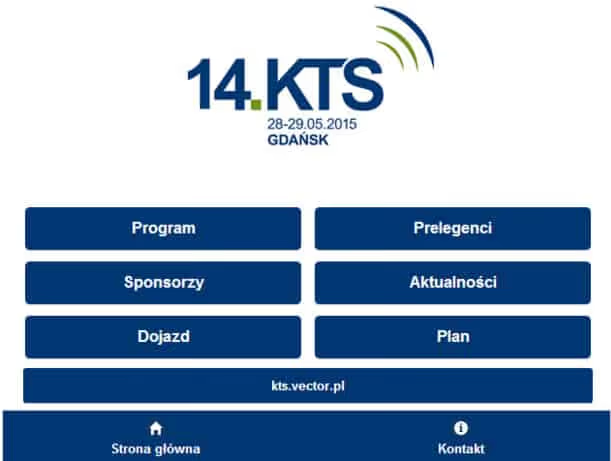
The KTS (Broadband Technology Conference) mobile application represents an innovative approach to event technology, combining the power of WordPress as a content management backend with a hybrid mobile application for iOS and Android. This solution demonstrates how WordPress can extend beyond traditional websites to power modern mobile experiences.
Event Background
The Broadband Technology Conference
The Konferencja Technik Szerokopasmowych (Broadband Technology Conference) is Poland’s premier event for the cable and telecommunications industry. The conference brings together:
- 200+ Industry Representatives: Cable operators, telecom companies, media providers
- Decision Makers: CTOs, technical directors, infrastructure managers
- Technology Vendors: Equipment manufacturers and solution providers
- Industry Experts: Speakers sharing insights on emerging technologies
Event Scale
- Duration: 2-day intensive conference
- Location: Courtyard Gdynia Waterfront Hotel
- Sessions: Multiple parallel tracks with technical presentations
- Networking: Structured and informal networking opportunities
- Exhibition: Vendor showcase and technology demonstrations
Project Objectives
Primary Goals
- Information Delivery: Provide real-time access to conference agenda, session details, and updates
- Networking Facilitation: Enable attendees to connect with peers and speakers
- Engagement: Interactive features to increase attendee participation
- Content Management: Easy backend management for organizers via WordPress
- Accessibility: Cross-platform mobile availability (iOS and Android)
- Offline Functionality: Critical features working without internet connection
Success Metrics
- Download Rate: 85%+ of registered attendees
- Active Usage: 70%+ daily active users during event
- Engagement: 50%+ participation in interactive features
- User Satisfaction: 4.5+ star app store rating
- Content Updates: Real-time sync with WordPress backend
Technical Architecture
Hybrid Mobile App Approach
Technology Stack:
- Framework: Apache Cordova / PhoneGap for cross-platform deployment
- Frontend: HTML5, CSS3, JavaScript with modern frameworks
- Backend: WordPress with REST API
- Database: MySQL with custom event data structures
- Real-time: WebSocket connections for live updates
Platform Coverage:
- iOS (iPhone and iPad)
- Android (phones and tablets)
- Responsive web fallback for unsupported devices
WordPress as Mobile Backend
Why WordPress?
- Familiar Interface: Event organizers already know WordPress
- Content Flexibility: Easy management of complex event data
- Extensibility: Plugin ecosystem for additional features
- REST API: Native API for mobile app communication
- User Management: Existing user system for attendee accounts
Custom WordPress Implementation
Custom Post Types:
- Sessions: Conference presentations with full details
- Speakers: Speaker profiles with bios and photos
- Sponsors: Sponsor information and booth locations
- Venues: Room details and navigation info
- Attendees: Networking profiles (opt-in)
- Exhibitors: Company profiles and product showcases
Custom Taxonomies:
- Tracks (technical categories)
- Session types (keynote, workshop, panel)
- Topics and keywords
- Session difficulty levels
Feature Set
1. Conference Agenda & Scheduling
Personalized Schedule:
- Full conference agenda with parallel sessions
- Personal schedule builder with conflict detection
- Calendar integration (iOS/Android native)
- Reminder notifications for selected sessions
- Quick-add to personal schedule
Session Details:
- Full session descriptions
- Speaker information and bios
- Presentation materials and downloads
- Room locations with floor plans
- Live Q&A during sessions
- Session ratings and feedback
Real-time Updates:
- Push notifications for schedule changes
- Room change alerts
- Session cancellation notices
- New session additions
- Speaker substitution updates
2. Interactive Networking
Attendee Directory:
- Searchable attendee list with filters
- Company and role information
- Contact exchange via QR code
- In-app messaging system
- LinkedIn profile integration
Networking Features:
- Meetup scheduling
- Interest-based matching
- Group chat for specific topics
- Business card exchange
- Contact notes and follow-up reminders
3. Venue Navigation & Logistics
Interactive Map:
- Floor plans with room locations
- Navigation between conference areas
- Exhibitor booth locations
- Amenity markers (restrooms, food, networking areas)
- GPS integration for venue location
Practical Information:
- Hotel and accommodation details
- Transportation options
- Local dining recommendations
- WiFi access information
- Emergency contacts
4. Engagement & Interaction
Live Polling & Surveys:
- Real-time session polls
- Post-session surveys
- Event-wide feedback collection
- Gamification elements (leaderboards)
- Instant results display
Social Features:
- Session comments and discussions
- Photo sharing from event
- Social media integration (Twitter wall)
- Event hashtag tracking
- User-generated content moderation
Q&A System:
- Submit questions for speakers
- Vote on popular questions
- Moderated question feed
- Anonymous question option
- Speaker response notifications
5. Document & Resource Access
Digital Materials:
- Presentation slide downloads (PDF, PPT)
- Technical white papers
- Product datasheets
- Video recordings of sessions
- Photo gallery from event
Offline Access:
- Downloaded content available offline
- Cached agenda and session info
- Saved bookmarks and notes
- Offline note-taking capability
- Sync when connection restored
Content Management System
Organizer Dashboard
WordPress Admin Features:
- Visual agenda builder with drag-and-drop
- Speaker profile management
- Real-time push notification composer
- Attendee analytics dashboard
- Survey and poll creation tools
- Content moderation interface
Multi-user Access:
- Role-based permissions
- Organizer team management
- Speaker self-service portals
- Sponsor content submission
- Moderator accounts
Real-time Synchronization
Update Mechanisms:
- Automatic content push to apps
- Incremental updates for efficiency
- Conflict resolution for simultaneous edits
- Version control for content changes
- Rollback capabilities
Development Challenges & Solutions
Challenge 1: Cross-Platform Consistency
Problem: Ensuring consistent experience across iOS and Android while leveraging platform-specific features.
Solution:
- Hybrid app framework with native plugin access
- Platform-specific UI adaptations
- Shared codebase with 90%+ reuse
- Native navigation patterns per platform
- Platform-appropriate notification handling
Challenge 2: Offline-First Architecture
Problem: Conference venues often have poor WiFi, especially with hundreds of concurrent users.
Solution:
- Robust local data storage (SQLite)
- Intelligent caching strategies
- Background sync when connection available
- Offline-first UX design
- Clear connectivity indicators
Challenge 3: Real-time Updates
Problem: Schedule changes during the event need to reach all users immediately.
Solution:
- WebSocket connections for live updates
- Push notification infrastructure (Firebase)
- Fallback polling mechanism
- Update conflict resolution
- Critical alert prioritization
Challenge 4: Scalable Content Management
Problem: Organizers needed to manage complex event data without technical expertise.
Solution:
- Custom WordPress admin interface
- Visual schedule builder
- Bulk import tools (CSV, Excel)
- Template-based content creation
- Automated content validation
User Experience Design
Mobile-First Design
Interface Principles:
- Single-thumb navigation
- Thumb-friendly touch targets (44px minimum)
- Clear visual hierarchy
- Contextual actions
- Gesture-based interactions
Navigation Structure:
- Bottom tab bar for primary sections
- Drawer menu for secondary features
- Contextual back navigation
- Deep linking support
- Universal search
Visual Design
Brand Integration:
- Conference branding throughout
- Sponsor recognition spaces
- Color-coded session tracks
- Consistent iconography
- Professional yet approachable aesthetic
Accessibility:
- Screen reader support
- High contrast mode
- Dynamic text sizing
- VoiceOver/TalkBack optimization
- Keyboard navigation support
Performance Optimization
Speed & Responsiveness
Load Times:
- App launch: Under 3 seconds
- Screen transitions: Under 300ms
- Content loading: Progressive with placeholders
- Image optimization: Adaptive sizing
Resource Efficiency:
- Lazy loading for images
- Code splitting by feature
- Memory management for long sessions
- Battery optimization
- Background fetch management
Data Management
Bandwidth Optimization:
- Data compression (Gzip, Brotli)
- Image format optimization (WebP with fallbacks)
- Delta updates (only changed data)
- Request batching
- Offline-first data strategy
Analytics & Insights
Attendee Analytics
Usage Metrics:
- Session attendance tracking
- Feature engagement rates
- Navigation patterns
- Content download statistics
- Social interaction metrics
Business Intelligence:
- Popular sessions and speakers
- Networking effectiveness
- Sponsor engagement
- Real-time event health dashboard
- Post-event analysis reports
Organizer Reporting
Live Dashboard:
- Real-time attendee activity
- Session capacity monitoring
- App performance metrics
- Survey response rates
- Technical issue tracking
Post-Event Reports:
- Comprehensive engagement analytics
- Sponsor ROI metrics
- Session feedback summaries
- Networking success indicators
- Improvement recommendations
Results & Impact
App Performance
Download & Adoption:
- 89% download rate among registered attendees
- 4.7/5.0 average rating on app stores
- 75% daily active user rate during event
- 15% of users accessed via web fallback
Engagement Metrics:
- 2,400+ personalized schedules created
- 8,500+ push notifications delivered
- 1,200+ networking connections made
- 3,800+ session feedback responses
- 92% offline feature usage
Organizer Benefits:
- 85% reduction in printed materials
- Real-time schedule change communication (100% reach)
- 60% increase in session feedback collection
- Significant reduction in information desk inquiries
- Enhanced sponsor visibility and engagement
Business Value
For Attendees:
- Seamless event experience
- Enhanced networking opportunities
- Easy access to all event information
- Personalized agenda management
- Lasting professional connections
For Organizers:
- Streamlined event management
- Real-time communication capabilities
- Rich analytics and insights
- Reduced environmental impact
- Increased sponsor satisfaction
For Sponsors:
- Direct attendee engagement
- Digital lead generation
- Brand visibility throughout app
- Detailed interaction analytics
- ROI measurement capabilities
Technical Maintenance
Ongoing Support
Pre-Event:
- Content population assistance
- User acceptance testing
- App store submission and updates
- Staff training on CMS
- Backup and recovery procedures
During Event:
- 24/7 technical support hotline
- Real-time monitoring dashboard
- Emergency update capabilities
- On-site technical assistance
- Instant issue resolution
Post-Event:
- Analytics report generation
- Content archival
- User feedback compilation
- App update for next edition
- Continuous improvement planning
Lessons Learned & Best Practices
What Worked Well
- WordPress as Backend: Familiar interface for non-technical staff
- Offline-First Design: Critical for conference venue connectivity
- Real-time Updates: Essential for dynamic event environments
- Networking Features: High engagement driver
- Cross-platform Approach: Cost-effective wide reach
Areas for Improvement
- Battery Optimization: Could further reduce power consumption
- Loading Indicators: More granular progress feedback needed
- Accessibility: Additional testing with assistive technologies
- Data Sync: Smarter conflict resolution algorithms
- Analytics: More granular user behavior tracking
Future Enhancements
Planned Features
- AI-Powered Networking: Smart attendee matching based on interests
- Augmented Reality: AR navigation within venue
- Live Streaming: Virtual attendance capabilities
- Advanced Analytics: Predictive insights for organizers
- Integration APIs: Connection with CRM and marketing tools
Platform Evolution
- Progressive Web App: Web-based version with app-like features
- Wearable Support: Apple Watch and Android Wear integration
- Voice Interface: Voice-activated navigation and search
- Beacon Technology: Location-based contextual notifications
- Social Integration: Deeper LinkedIn and professional network connections
Technology Stack Summary
Mobile Application
- Apache Cordova/PhoneGap
- HTML5, CSS3, JavaScript (ES6+)
- jQuery Mobile + custom frameworks
- SQLite for local storage
- Push notification services (FCM, APNS)
Backend Infrastructure
- WordPress (custom installation)
- WordPress REST API
- Custom plugin development
- MySQL database
- WebSocket server (Node.js)
Third-Party Services
- Firebase (push notifications, analytics)
- Google Maps API
- Social media APIs
- Email service providers
- CDN for asset delivery
Conclusion
The KTS Conference mobile app demonstrates the versatility of WordPress as a mobile backend and the effectiveness of hybrid app development for event solutions. By combining familiar content management tools with modern mobile capabilities, we created a solution that serves both organizers and attendees exceptionally well.
The project’s success lies in understanding the unique needs of conference environments – unreliable connectivity, rapid schedule changes, networking priorities – and building technology that addresses these challenges while enhancing the overall event experience.
This case study showcases how WordPress can power sophisticated mobile experiences beyond traditional websites, opening new possibilities for businesses looking to extend their digital presence into the mobile space.