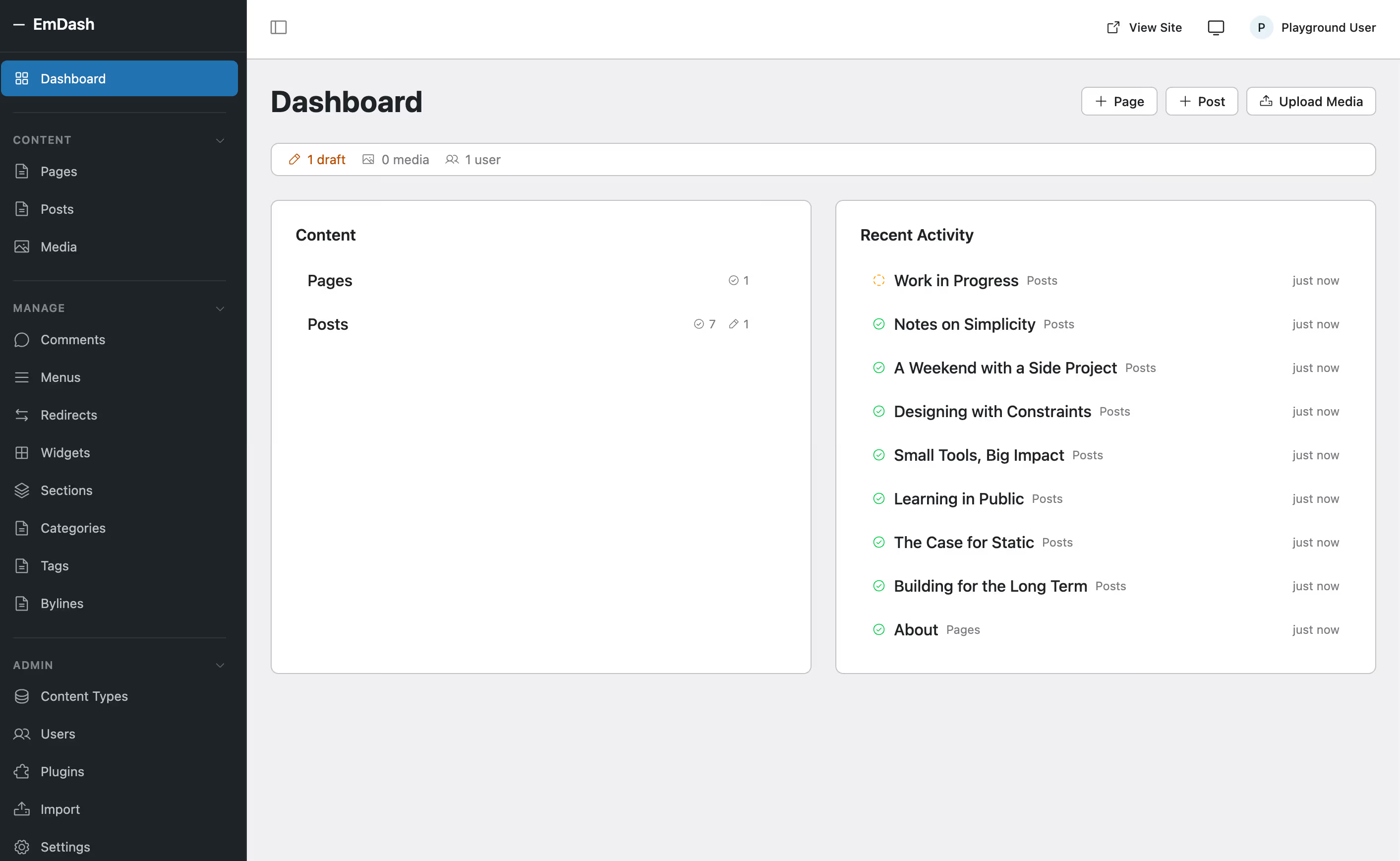
The CMS landscape in 2026 is more fragmented than it has been in over a decade. WordPress still powers more than 40% of the web, but Cloudflare’s EmDash - released as an open-source beta in early 2026 - represents a fundamentally different vision of what a content management system can be. Built on TypeScript, Astro, and Cloudflare’s serverless infrastructure, EmDash is not just another headless CMS. It is a full-stack platform designed from scratch with modern security, AI-native workflows, and edge deployment as first-class priorities.
This comparison matters because EmDash is the first credible challenger to come from a major infrastructure company, not a startup. Cloudflare controls the CDN, DNS, object storage, and edge compute layers that EmDash runs on, giving it integration depth that no independent CMS project can match. Whether you are evaluating EmDash for a new project or simply want to understand how the CMS market is shifting, this side-by-side breakdown covers every dimension that matters. For the full architectural deep dive, read the complete EmDash analysis.
Feature comparison table
| Feature | EmDash | WordPress |
|---|---|---|
| Language / framework | TypeScript with Astro for SSR and static rendering | PHP 8.x with a mix of procedural and OOP patterns |
| License | MIT - permissive, no copyleft obligations | GPL v2+ - copyleft, derivative works must remain GPL |
| First release | 2026 (beta v0.1.0, rapidly iterating) | 2003 (stable, 20+ years of continuous development) |
| Plugin architecture | Sandboxed Dynamic Workers with explicit capability declarations | Full PHP access to the entire runtime, filesystem, and database |
| Plugin ecosystem | Handful of example plugins, growing slowly | 60,000+ plugins in the official directory, thousands more on GitHub |
| Theme system | Astro components and layouts with scoped CSS | PHP template hierarchy with block themes and full-site editing |
| Content storage | Structured JSON documents in D1 (SQLite at the edge) | Serialized HTML blocks stored as longtext in MySQL wp_posts |
| Content editor | Rich text toolbar, minimal UI, sparse feature set | Block editor (Gutenberg) with 100+ core blocks, patterns, and style variations |
| REST API | Built-in, fully typed with TypeScript interfaces, auto-generated from schemas | Built-in since WP 4.7, mature but loosely typed with optional schema validation |
| Media library | Cloudflare R2 object storage with automatic edge distribution | wp-content/uploads on the local filesystem, CDN via plugins |
| Hosting model | Serverless on Cloudflare Workers, globally distributed at the edge | Traditional LAMP stack, managed WP hosting, or containerized deployments |
| E-commerce | No e-commerce functionality whatsoever | WooCommerce powers millions of stores, plus Easy Digital Downloads, SureCart, and more |
| AI integration | Native MCP server, typed content schemas, agent-ready API surface | Third-party plugins (AI Engine, Jetpack AI, CodeWP) with varying quality |
| SEO tools | Built-in redirects and basic meta fields only | Yoast SEO, Rank Math, All in One SEO, AIOSEO, and dozens of specialized tools |
| Multisite | Not available in current beta | Built-in multisite network since WordPress 3.0, powering enterprise networks |
| User roles | Basic admin and editor roles with limited customization | Granular role and capability system, fully extensible with custom roles and permissions |
| Community size | Nascent, primarily Cloudflare developers and early adopters | Millions of developers, designers, content creators, agencies, and enterprises |
| Market share | Effectively 0%, pre-production beta | Over 40% of all websites globally |
| Migration tools | WordPress importer included, converts posts, pages, and media | N/A - WordPress is typically the migration source, not the target |
| Documentation | GitHub docs, README-driven, early-stage and evolving rapidly | Extensive Codex, Developer Resources, learn.wordpress.org, and thousands of tutorials |
| Cost to run | Cloudflare free tier covers small sites; paid Workers plans from $5/month | Shared hosting from roughly $3/month, managed hosting from $20-$50/month |
Architecture and philosophy
WordPress was born in 2003 as a PHP blogging engine and evolved into a general-purpose CMS through incremental additions. Its architecture reflects that history: a monolithic PHP application that handles routing, rendering, database queries, plugin loading, and HTTP responses within a single request lifecycle. The database schema, centered around wp_posts and wp_postmeta, was designed for blog posts and has been stretched to accommodate custom post types, block content, and full-site editing metadata. This approach works - WordPress powers 40% of the web - but it carries the weight of two decades of backward compatibility.
EmDash starts from a clean slate. The front end is built with Astro, a modern framework that outputs static HTML by default and hydrates interactive components only when needed. The back end runs on Cloudflare Workers, which means every request executes at the edge in an isolated V8 environment rather than on a centralized server. Content lives in D1, Cloudflare’s distributed SQLite database, and media files sit in R2 object storage. There is no monolithic server, no Apache or Nginx configuration, and no filesystem to manage.
For developers, this means EmDash projects feel like modern web applications. TypeScript provides compile-time type safety, Astro components use familiar JSX-like syntax, and the deployment pipeline is a single wrangler deploy command. For hosting costs, the serverless model eliminates idle server expenses - you pay only for the compute you consume. For scalability, edge deployment means content is served from the nearest Cloudflare data center without any caching layer configuration. The trade-off is vendor lock-in: EmDash is deeply coupled to Cloudflare’s proprietary services, and moving to another provider would require significant re-engineering.
Plugin ecosystem and extensibility
WordPress’s plugin ecosystem is its greatest competitive advantage and its most persistent security liability. With over 60,000 plugins in the official directory and many thousands more distributed independently, WordPress can be extended to do virtually anything: e-commerce, learning management, membership sites, booking systems, forums, and countless niche applications. This ecosystem took twenty years to build and represents billions of hours of collective development effort. No new CMS can replicate it overnight.
The cost of this ecosystem is architectural. WordPress plugins have unrestricted access to the PHP runtime, the database, the filesystem, and the network. A single poorly coded or malicious plugin can read wp-config.php credentials, inject JavaScript into every page, install backdoors, or exfiltrate user data. Sucuri, Wordfence, and Patchstack publish regular reports documenting thousands of plugin vulnerabilities discovered annually. WordPress core is secure; the plugin model is the primary attack surface.
EmDash takes the opposite approach. Plugins run as sandboxed Dynamic Workers - isolated V8 environments that cannot access the main application runtime. Each plugin must declare its capabilities explicitly, and the runtime enforces those boundaries. A plugin that declares read:content and email:send literally cannot access the database directly, modify other plugins, or interact with the filesystem. Here is a concrete example of an EmDash plugin that sends an email notification when a post is published:
import { definePlugin } from "emdash";

export default () => definePlugin({
  id: "notify-on-publish",
  version: "1.0.0",
  capabilities: ["read:content", "email:send"],
  hooks: {
    "content:afterSave": async (event, ctx) => {
      if (event.collection !== "posts" || event.content.status !== "published")
        return;
      await ctx.email!.send({
        to: "editors@example.com",
        subject: `New post published: ${event.content.title}`,
        text: `"${event.content.title}" is now live.`,
      });
      ctx.log.info(`Notified editors about ${event.content.id}`);
    },
  },
});
The capability declaration at the top is not decorative - it is enforced at runtime. This is a meaningful architectural improvement over WordPress’s trust-everything model. The trade-off is that EmDash’s plugin catalog is effectively empty. Building an ecosystem of this kind takes years, and developers will not invest in writing plugins for a platform with near-zero market share until adoption reaches critical mass.
Content model and editing experience
WordPress stores content as serialized HTML inside the wp_posts table. The block editor (Gutenberg) adds structured comment delimiters around each block, but the underlying storage format remains a single longtext column of HTML. This approach works well for rendering web pages but creates friction for API consumers, mobile applications, and AI tools that need to parse and understand content structure. Extracting a list of headings, images, or embedded media from a WordPress post requires parsing HTML, not querying a structured schema.
EmDash stores content as structured JSON documents in D1. Each content type has a typed schema defined in TypeScript, and every field - title, body, author, categories, custom fields - is a discrete, queryable property. The body itself is stored as a structured document format rather than a raw HTML blob. This means an API consumer or AI agent can request specific fields, filter by any property, and receive predictable, typed responses without any HTML parsing.
The editing experience is where WordPress still dominates. Gutenberg has matured significantly since its controversial introduction in WordPress 5.0. It now supports over 100 core blocks, reusable block patterns, style variations, full-site editing, and a growing library of third-party block collections. Content teams with non-technical editors generally find Gutenberg productive and intuitive after the initial learning curve.
EmDash’s editor is minimal by comparison. It provides a rich text toolbar for basic formatting - headings, bold, italic, links, images - but lacks the block diversity, drag-and-drop layout capabilities, and visual polish that Gutenberg offers. For developer-centric teams working primarily through APIs and markdown, this minimalism may be a feature. For editorial teams that rely on visual page building, it is a significant gap.
Hosting and deployment
WordPress requires a web server (Apache or Nginx), PHP, and MySQL or MariaDB. This is the traditional LAMP stack, and it has been the standard for shared hosting, VPS, and managed WordPress platforms for two decades. Hosting options range from $3/month shared plans to enterprise-grade managed services from WP Engine, Kinsta, and Cloudways at $30-$200/month. The operational overhead includes server updates, PHP version management, SSL certificates, backup configuration, database optimization, and security hardening. Managed hosts abstract much of this, but the underlying complexity remains.
EmDash deploys as a Cloudflare Workers application. The deployment process is a single command: wrangler deploy. There are no servers to provision, no PHP versions to manage, and no database backups to configure - Cloudflare handles infrastructure at the platform level. D1 databases are automatically replicated, R2 storage is globally distributed, and Workers execute at Cloudflare’s 300+ edge locations. For small sites, the Cloudflare free tier (100,000 Worker requests per day, 5 GB R2 storage, 5 GB D1 storage) is sufficient. Paid plans start at $5/month for the Workers Paid tier.
The cost advantage for low-to-medium traffic sites is clear. A WordPress site on managed hosting costs $20-$50/month with performance that depends on server location and caching configuration. An equivalent EmDash site on the Cloudflare free tier costs nothing and serves content from the nearest edge node globally. For high-traffic sites, the comparison becomes more nuanced - Workers pricing scales with request volume, and compute-intensive operations at the edge can become expensive.
The dependency concern is real. EmDash cannot run without Cloudflare. If Cloudflare changes pricing, deprecates D1, or experiences extended outages, EmDash sites have no fallback. WordPress, by contrast, runs on any PHP-capable server from any provider, giving site owners complete infrastructure portability.
AI and modern integrations
EmDash was designed in 2026, after large language models and AI agents became mainstream development tools. Its native MCP (Model Context Protocol) server exposes content operations - create, read, update, delete, search - through a typed interface that AI agents can discover and use without custom integration work. The structured JSON content model means AI tools receive clean, typed data rather than HTML that needs parsing. For teams building AI-assisted content workflows, automated publishing pipelines, or agent-driven content management, EmDash provides a purpose-built foundation.
WordPress’s AI story is bolted on rather than built in. Plugins like AI Engine, Jetpack AI Assistant, and CodeWP add generative capabilities for content creation, image generation, and code assistance. These plugins work within WordPress’s existing architecture, which means they interact with HTML content, use the REST API’s loosely typed responses, and operate without the structured schemas that make AI interactions reliable. The WordPress REST API is functional for AI integration, but it was not designed with agent discovery or typed content operations in mind. That said, the sheer volume of WordPress AI plugins means that most practical AI use cases - content generation, SEO optimization, image creation, chatbots - are already covered, even if the integration is less elegant than EmDash’s native approach.
E-commerce and specialized use cases
This is where the comparison becomes lopsided. WooCommerce powers millions of online stores and supports a vast ecosystem of payment gateways (Stripe, PayPal, Square, dozens more), shipping integrations (UPS, FedEx, DHL, local carriers), inventory management systems, subscription models, booking engines, and marketplace functionalities. Beyond WooCommerce, WordPress has Easy Digital Downloads for digital products, SureCart for lightweight storefronts, and MemberPress for membership sites. The combination of WordPress and WooCommerce is the most widely deployed open-source e-commerce platform in the world.
EmDash has no e-commerce functionality. There are no payment integrations, no cart systems, no product management tools, and no checkout flows. Building e-commerce on EmDash would require writing everything from scratch or integrating a third-party service like Shopify’s Storefront API or Snipcart. For any project that requires selling products, managing inventory, or processing payments, WordPress is not just the better choice - it is currently the only choice between these two platforms.
The same pattern holds for other specialized use cases. WordPress has mature plugins for learning management (LearnDash, LifterLMS), event management (The Events Calendar), job boards (WP Job Manager), real estate listings, restaurant menus, and hundreds of other vertical applications. EmDash has none of these. This gap will narrow over time if EmDash gains adoption, but it represents years of ecosystem development that cannot be shortcut.
Migration and coexistence
EmDash includes a WordPress importer that converts posts, pages, categories, tags, and media files from a WordPress export (WXR format) into EmDash’s JSON content model. The importer handles basic content transformation, including converting HTML blocks to EmDash’s structured format, re-uploading media to R2 storage, and preserving taxonomies and metadata where possible. For straightforward blog content, the migration path is functional.
Realistic expectations matter here. WordPress themes do not port to EmDash - every theme must be rebuilt as Astro components. WordPress plugins do not port either - every plugin must be rewritten as a sandboxed Worker with EmDash’s capability model. Shortcodes, custom post types with complex meta configurations, Advanced Custom Fields layouts, and WooCommerce product data all require manual migration planning. For a simple blog with standard content, migration is feasible. For a complex WordPress site with dozens of plugins and custom integrations, migration is a significant engineering project.
EmDash’s documentation includes theme and plugin porting guides that walk developers through the conceptual mapping between WordPress’s PHP conventions and EmDash’s TypeScript architecture. These guides are helpful for developers who want to understand both systems, but they do not eliminate the fundamental work of rebuilding functionality from scratch.
When to choose EmDash
- Greenfield developer projects where the team works in TypeScript and wants a modern stack with type safety, component-based rendering, and serverless deployment without any legacy constraints to navigate.
- Security-critical applications where the sandboxed plugin model provides meaningful isolation guarantees that WordPress’s full-access architecture cannot offer, reducing the attack surface by design rather than through additional security tooling.
- AI-native content workflows where the native MCP server, typed JSON schemas, and agent-ready API surface eliminate the integration overhead that WordPress AI plugins require, making automated content pipelines significantly easier to build and maintain.
- Cloudflare-first infrastructure where the organization already runs on Workers, R2, D1, and Cloudflare’s network, and wants a CMS that integrates natively into that ecosystem without bridging to external hosting providers.
- Performance-oriented sites where edge-first rendering, zero-config global distribution, and static-by-default output from Astro deliver sub-100ms TTFB worldwide without caching plugins or CDN configuration.
When to choose WordPress
- Established websites with existing content, themes, plugins, team workflows, and business processes that would be expensive and risky to migrate, especially when the current setup meets business needs adequately.
- E-commerce stores of any scale that depend on WooCommerce, payment gateways, shipping integrations, inventory management, subscription models, or any of the thousands of commercial extensions that WooCommerce supports.
- Non-technical editorial teams who need a mature, polished editing experience with visual page builders, drag-and-drop block layouts, reusable patterns, and an extensive library of documentation and tutorials.
- Projects requiring specialized functionality such as learning management systems, membership sites, event calendars, job boards, real estate listings, or any of the hundreds of vertical applications that WordPress plugins provide out of the box.
- Organizations that need vendor independence and the ability to host on any provider, switch hosting at will, and avoid dependency on a single infrastructure vendor’s pricing decisions and service continuity.
Conclusion
EmDash and WordPress represent two different eras of web development thinking. WordPress is the proven incumbent - battle-tested, enormously flexible, and backed by an ecosystem that no competitor has come close to matching in twenty years. EmDash is the architectural challenger - built with modern security primitives, serverless infrastructure, and AI-native design that WordPress cannot easily retrofit into its legacy codebase.
Neither platform is universally better. EmDash’s sandboxed security, typed content model, and edge deployment are genuine technical advantages for the right projects. WordPress’s ecosystem depth, editorial experience, and infrastructure independence are genuine practical advantages that EmDash may take years to approach. The decision depends on whether your project values architectural modernity or ecosystem maturity, and whether your team builds in TypeScript or PHP.
For most existing WordPress sites, there is no compelling reason to migrate today. For new projects built by TypeScript-oriented teams on Cloudflare infrastructure, EmDash is worth serious evaluation. The CMS market has room for both philosophies, and the competition itself will push both platforms to improve. Read the full EmDash architecture analysis for the complete technical breakdown.
If Astro is the right fit for your next project, learn more about my Astro development services.



