✅ Experienced PHP WordPress and WooCommerce Developer
Key competencies and the role of a WordPress developer in 2026
A WordPress developer in 2026 is a specialist combining proficiency in PHP 8.x, JavaScript (React), and database architecture, responsible for building secure and scalable web solutions. The table below organises the technology stack by competency layer:
| Layer | Mandatory technologies | Complementary technologies |
|---|---|---|
| Backend | PHP 8.x (OOP, typed properties, enums, fibers), WordPress Core API, WooCommerce REST | Laravel (as a headless service layer), Symfony, Composer |
| Frontend | React, JavaScript ES6+, Gutenberg blocks, Full Site Editing, Tailwind CSS | Next.js, Astro, Vue.js (in headless setups) |
| Databases | MySQL / MariaDB, SQL, WP_Query optimisation, custom tables | Redis (cache), PostgreSQL, ElasticSearch |
| DevOps | Git, Composer, NPM, CI/CD, Docker, staging + production | Cloudflare Workers, AWS, GCP, Kubernetes |
| Security | WP hardening, OWASP Top 10, SQL Injection, XSS, audits | WAF, CSP, security headers, SAST/DAST |
WordPress sites maintained by a professional developer differ from page-builder assemblies primarily in technical debt, security exposure, and total cost of ownership over a 3-year horizon. The difference is between an engineering project and an assembly job.
What does a professional WordPress developer do and why your business needs one 🔥
I have been developing, optimizing, and repairing websites and stores based on the WordPress CMS for nearly two decades. With a completely individualized approach, years of experience, and advanced technical knowledge of web software architecture (backend and frontend), I provide modern web solutions that are 100% tailor-made to your business needs.
A good WordPress developer is a technology expert who primarily deals with engineering and creating custom websites based on WordPress. However, before we delve into the full, technical definition of this profession (and the difference between a real coder and someone who only “assembles” pages from ready-made blocks is enormous), let’s learn some hard facts about the WordPress environment itself, its contribution to the modern Internet, and what it really means to be an expert and creator of custom solutions for this system.
Who is a WordPress developer in reality?
A WordPress Developer is, first and foremost, a qualified software engineer (often a full-stack developer) who specializes in the internal architecture of the WordPress CMS system, its infrastructure, and the platform’s ecosystem. WordPress developers professionally write code (mostly clean PHP, advanced JavaScript, React.js) to build high-performance, custom websites, e-commerce platforms with million-dollar turnovers, advanced user panels, VOD platforms, course portals, or complex web applications.
Experts do not exclusively use visual drag & drop interfaces but program at the source code level. They utilize their knowledge of:
- PHP Programming Language: The majority of the WordPress “engine” (backend) is based on this, with an emphasis on modern object-oriented programming (OOP) patterns.
- Relational Databases (MySQL / MariaDB): For writing advanced, optimized, and custom queries generating fast server-side results.
- HTML5, Modern CSS3 (often Sass, Tailwind CSS): Allowing for the implementation of perfectly mapped and responsive graphical interfaces downloaded directly from designers (Figma/AdobeXD).
- JavaScript and React.js: Currently, WordPress is striving for powerful dynamics on the browser side. The Gutenberg editor interface and modern blocks are created using the most popular frontend framework, React.
If you are interested in professional creation of modern websites and applications, a deep and complete understanding of the intricacies of this world’s most powerful CMS architecture may turn out to be the key. Understanding the role of a WP Developer will help you make an informed decision to either aspire to this role yourself or understand why hiring a competent expert will save your company from costly mistakes.
Hard numbers and the power of WordPress statistics 📈
- 🔥 Nearly 2 decades of experience in web programming, a huge part of which is with the WP ecosystem and e-commerce solutions under WooCommerce.
- 🚀 Hundreds of demanding, complex projects successfully coded and localized for companies of various sizes around the world.
Global Market Significance of WordPress (2024/2025)
Market data clearly shows why WordPress developer skills are so highly demanded globally.
This is precisely why WordPress (as the most powerful open-source CMS, utilizing PHP and MySQL/MariaDB) sets the prevailing standards in many markets over the decade. WordPress has evolved from a simple blogging platform to a full-fledged framework, allowing its use in Headless CMS environments or the integration of advanced, powerful AI agents.
The architecture of differences: implementer vs developer
Practically anyone who can rent cheap hosting can independently click through a WordPress auto-installer. There is even a common belief in the community that “even a middle schooler can set up a website”. The truth, however, is more brutal for entrepreneurs counting on cheap, quick solutions from alleged professionals on classified ads sites.
The Implementer (“Clicker”)
Commonly referred to as a “clicker.” They rely on mass-uploading heavy, popular templates (themes). They make up for any missing functionality by installing dozens of external plugins and using resource-heavy page builders like Elementor or Divi. Ultimately, the client receives a website that weighs gigabytes, loads at a snail’s pace, and poses a security threat to hacker attacks.
The WordPress Programmer (Developer)
Uses modern code editors (VS Code) and relies on craftsmanship. Uses WP as a flexible database frame (Core API). Builds the infrastructure from scratch, minimizes plugins, independently coding business logic in PHP and blocks in React technology. The difference becomes drastically apparent at the Core Web Vitals stage and conversion speed (SEO).
The Autonomous Future: UCP Agent Mesh
Experience the next generation of decentralized commerce protocols through a high-fidelity tactile interface.
AI agents transact autonomously without intermediaries, with sub-1ms latency.
Every WordPress site becomes a node in the global UCP commerce network.
Automatic settlements & escrow - zero manual work, zero risk of unauthorized access.
Real-world use cases
AI agent picks the cheapest payment gateway per transaction, in real-time.
AI negotiates pricing and delivery terms with wholesalers based on live stock data.
Sell individual articles, courses, or PDFs for fractions of a cent - no subscription needed.
Funds held in smart contract - auto-released once buyer confirms delivery.
Product prices updated every minute based on demand, competitors, and live costs.
Smart contract pays affiliate commission within milliseconds of a confirmed purchase.
UCP Node v4.0
Core Vitality
Mesh Sync
> Initializing UCP Mesh...
> Connecting to Global Agent Mesh [OK]
> Verifying Smart Contract v2.1... [VERIFIED]
> Listening for commerce events...
> Incoming transaction: TX-828-A1-Z [PROCESSING]
_
Protocol Controls
"The Universal Commerce Protocol enables AI agents to transact autonomously, removing friction from the global economy."

Scope of responsibilities and what a professional actually does
By choosing the help and hiring an experienced Senior Web Developer, you gain powerful technical backing. What does an expert with nearly 20 years of experience face on a daily basis? I love writing clean code, working on difficult architectures, and creating dedicated solutions that make companies stand out in the Google space.
What exactly I can program, write, or build for you
Architectural stack and uncompromising configuration
Building the WP / WooCommerce structure using Composer tools or integrated workflows on cloud platforms (GCP, AWS).
Advanced external API Integrations
I make WordPress an operational hub exchanging information with CRM (HubSpot, Salesforce), invoicing, or ERP systems.
Dedicated plugins from scratch
When a ready tool does not meet requirements - I program a tailor-made business plugin. I also analyze and repair inherited code (Legacy Code).
Performance optimization and Core Web Vitals
Server-side caching (Redis), CDN networks, WebP/AVIF compression. PageSpeed results close to ideal, loading the site in milliseconds.
Custom Gutenberg Blocks (React)
We abandon Elementor. I transfer the layout into the code of block templates (FSE), writing powerful React blocks maximizing aesthetics and speed.
Security Audits and Hardening
Blocking critical vulnerabilities. I test WP_Query requests, protect against XSS, SQL Injection or DDoS under the cover of the cloud and HTTP headers layer.
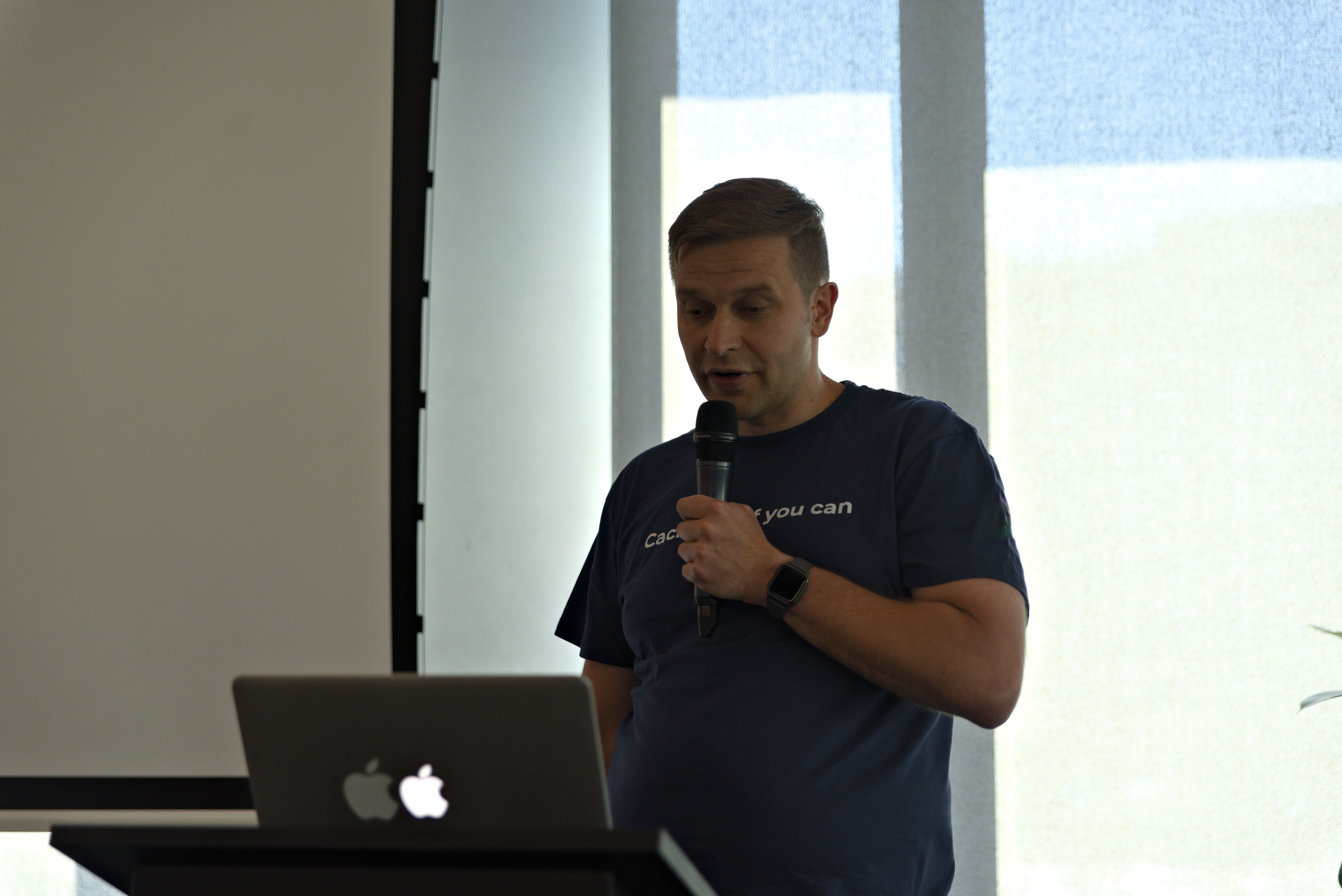
When WordPress itself is not enough to solve an extremely complex problem, or when the application needs super-fast client-server logic - I use a modern technology stack. I offer Headless WordPress (decoupled architecture). By expanding in Next.js or the Astro environment on the frontend side, and treating WordPress and GraphQL as an operational CMS panel for backend editors, we serve dynamic content with the incredible speed of the cloud.
WordPress development in 2026: what has changed
WordPress development in 2026 looks fundamentally different from what it was even three or four years ago. The platform has matured into a serious application framework, and the tooling around it has shifted to match. Developers who stopped learning after the classic editor era are now working with an outdated mental model of what WordPress actually is.
The block editor is now the default development surface
Gutenberg is no longer optional or experimental. Full Site Editing (FSE) with block themes is the standard approach for new WordPress projects, and the classic editor is effectively legacy. Developers now build custom blocks in React and register them through the @wordpress/scripts toolchain. Theme development has moved from PHP template files to theme.json configuration and block templates, giving content teams direct control over layout without touching code.
The upcoming WordPress 7.0 release (expected late 2026) continues this trajectory. It introduces a refined content management layer, deeper design token integration, and improved collaborative editing features. For developers, it means even tighter integration between the block editor API and the underlying PHP application layer.
Headless WordPress and decoupled architectures
One of the biggest shifts in WordPress development is the rise of headless (decoupled) architectures. Instead of using WordPress to render the frontend, developers treat it purely as a content API. The frontend is built with frameworks like Next.js, Astro, or Nuxt, consuming data through the REST API or WPGraphQL.
This approach unlocks significant performance gains. Static site generation (SSG) and incremental static regeneration (ISR) produce pages that load in under 200ms, compared to 800ms-2s for traditional WordPress setups. Headless also enables multi-channel publishing, where the same content feeds a website, mobile app, and digital signage from a single WordPress backend.
PHP 8.x adoption and the end of jQuery
WordPress core now requires PHP 8.0 as a minimum, and most professional hosting environments run PHP 8.2 or 8.3. This means developers can use typed properties, union types, named arguments, enums, and fibers in production WordPress code. The performance improvements alone (PHP 8.x is roughly 15-25% faster than PHP 7.4 in real-world benchmarks) make the upgrade worthwhile.
On the frontend side, jQuery is no longer bundled by default in block themes. Modern WordPress JavaScript is written in vanilla ES6+ or React. This removes roughly 90KB of unnecessary JavaScript from every page load and aligns WordPress development with broader frontend engineering standards.
AI-assisted WordPress development
AI tooling has become a practical part of the WordPress development workflow in 2026. Code assistants like Claude, GitHub Copilot, and Cursor accelerate plugin development, theme scaffolding, and debugging. AI-powered testing tools generate unit tests for custom plugins, and content teams use LLMs for structured content generation directly inside the block editor.
The real impact is on productivity. Tasks that previously took 4-6 hours of manual coding (writing custom WP_Query logic, building admin settings pages, creating REST API endpoints) now take 30-60 minutes with AI assistance. This does not replace the developer. It shifts the role toward architecture decisions, code review, and quality assurance rather than line-by-line typing.
How much does a WordPress developer cost in 2026?
Understanding the cost of WordPress development helps set realistic expectations before a project starts. The table below summarises typical European market rates by seniority and engagement model in 2026:
| Level | Experience | Salary (EUR/month) | B2B day rate | Hourly rate |
|---|---|---|---|---|
| Junior | 0-2 years | 1 800 - 2 800 | 200 - 320 | 25 - 40 |
| Mid | 2-5 years | 3 000 - 4 800 | 350 - 550 | 45 - 70 |
| Senior | 5+ years | 4 800 - 7 500 | 550 - 850 | 70 - 110 |
| Expert / Lead | 8+ years | 7 000 - 11 000 | 800 - 1 300 | 100 - 160 |
Ranges reflect Polish, Czech, and Romanian senior contractors working remotely with EU and US clients. Nordic and DACH market rates run 30-60% higher. Pricing depends on scope, integrations, and delivery timeline, so at WPPoland every engagement is quoted individually rather than sold from a fixed price list.
What shapes the quote
Several factors influence the quote for a WordPress project. The type of provider matters first. A freelance developer, a boutique studio, and a full agency each price their time differently because they carry different overheads and responsibilities (project management, QA, design, DevOps). The level of seniority also matters. A generalist who handles themes and basic plugins is priced differently from a senior developer with expertise in WooCommerce, headless architecture, or performance optimization.
Location influences the market rate. Eastern European developers (Poland, Romania, Ukraine, Czech Republic) usually offer a strong value proposition while delivering code quality on par with Western European and North American standards. Poland in particular has a deep WordPress talent pool, strong English proficiency, and convenient time zone overlap with both EU and US East Coast clients.
Project scope drives the final figure
For fixed-scope projects, a simple business website (5-10 pages, contact form, blog) is the lightest engagement. It covers a custom block theme, basic SEO configuration, responsive design, and a content management walkthrough. A WooCommerce store (product catalog, payment gateways, shipping logic) sits higher because the work includes custom checkout flows, third-party integrations (ERP, CRM, fulfillment), and often multi-currency or multilingual requirements. An enterprise or custom application (member portals, booking systems, headless setups, complex integrations) is the most involved. These projects include custom plugin development, API architecture, staging and production deployment pipelines, load testing, and ongoing maintenance contracts.
What drives the price up
Several factors push WordPress development costs toward the higher end. Custom integrations with external systems (payment processors, ERPs, marketing automation) require significant backend work. Performance optimization for high-traffic sites (100,000+ monthly visitors) demands caching architecture, CDN configuration, and database query tuning. Multilingual setups with 3+ languages add complexity in content modeling, URL structure, and hreflang management.
In practice, the two most common projects that land on my desk after someone else’s build are a WooCommerce store running 30+ plugins with a TTFB of 1.8 s, and an Elementor site that collapses under paid-traffic peaks (typically Black Friday or a launch). Both end up rebuilt from the ground up, which costs more than hiring a senior in the first round. Total cost of ownership over three years is the only number that matters here, and it almost always favours doing it once. For a concrete proposal tailored to your scope, reach out through the contact page and you will receive an individual quote.
How long does it take to learn WordPress and become a developer?
Learning the WordPress basics takes 3 to 6 months, but reaching the level of a professional developer requires at least 2 years of hands-on work with PHP, databases, and modern frontend tooling. Installing themes and configuring plugins is administration, not development.
A realistic 2026 path covers four stages. Junior (3-6 months) means getting comfortable with HTML5, CSS, JavaScript fundamentals, and the WordPress loop. Mid (6-18 months) requires PHP 8.x, hooks and filters, the REST API, and basic React for Gutenberg blocks. Senior (18-36 months) is application architecture, headless WordPress, OOP and SOLID patterns, third-party integrations, performance, and security. Expert (3+ years) covers technical advisory, audits, enterprise projects, and contributions to WordPress core.
The fastest path to competence is real client work, not tutorials in isolation. The WordPress Developer Handbook is a better starting point than any bootcamp, but the real lift comes from reading core trac tickets, watching how senior contributors argue patch trade-offs in Make WordPress Slack, and shipping work that survives a Black Friday traffic spike. None of that is on a curriculum, and that’s the point.
Freelancer WordPress developer vs agency: which one to pick
The choice between a freelancer and an agency depends on project scale: a freelancer offers direct contact and lower cost on focused tasks, while an agency provides broader design and marketing support for large rollouts. The table below summarises the trade-offs:
| Criterion | Freelancer / solo developer | Agency |
|---|---|---|
| Best fit | dedicated plugin, audit, refactor, migration | large rollout with design, copy, marketing |
| Communication | direct with the person writing the code | through a project manager |
| Hourly rate | 70-110 EUR/h (senior) | 100-180 EUR/h (senior) |
| Overhead | none (no PM, sales, leadership layer) | 30-50% mark-up |
| Bus factor | high risk (single person) | low (back-up capacity) |
| SLA and contracts | basic B2B agreement | SLA with penalty clauses |
| Team scalability | limited | high (designers, QA, copy) |
| Decision speed | fast technical calls | slower (approval chains) |
A freelancer or solo developer makes sense when the scope is well defined: a custom plugin, a performance audit, refactoring an existing store, migration from a page builder. Communication runs directly to the person writing the code, technical decisions are fast, and the hourly cost is 30-50% lower than an agency because there is no overhead for project management, sales, or middle layers. The risk is the bus factor - if the freelancer disappears, continuity is hard.
An agency makes sense when the project combines development with design, copywriting, marketing campaigns, multiple team roles, or long-term retained support. It provides QA, a project manager, backup capacity in case of illness, and contractual cover (SLA, penalty clauses). The price is higher, but accountability sits with a company.
Many businesses pick a third path in practice: a senior freelancer leading the project, with trusted specialists (designer, copywriter) brought in for specific phases. You get technical depth and flexibility without paying for full agency overhead. That is the model I work in most often.
What good cooperation with a WordPress developer looks like
Strong delivery starts with understanding the business goal, not with picking a theme. First I review the current setup, technical constraints, integrations, and content model. Then I propose the right architecture, implementation order, and release plan.
In practice, that usually means:
- reviewing the existing site, hosting, plugins, and technical debt,
- preparing a proper development and staging workflow,
- implementing features in controlled milestones,
- testing performance, security, and compatibility before launch,
- supporting the site after release instead of disappearing after deployment.
That process matters because most WordPress problems do not come from WordPress itself. They come from rushed decisions, too many plugins, and no technical ownership.
When it makes sense to hire a WordPress developer
Bringing in a developer is usually the right move when your site has moved beyond a simple brochure page. The most common cases are:
- you need custom integrations with CRM, ERP, payments, or internal tools,
- WooCommerce is slow, unstable, or difficult to scale,
- the current site is trapped in Elementor, Divi, or another heavy builder,
- legacy code needs to be repaired and brought under control,
- you are planning a migration, multilingual rollout, member area, or headless setup.
In those projects, the real value is not just visual polish. It is reliable delivery, maintainable code, and a system that can keep growing without a full rebuild every year.
Recommendations and reviews of working with WPPoland
Selected recommendations from WordPress, WordCamp and e-commerce leaders - with a focus on delivery on time, technical depth, and a business-driven approach to WordPress development.

Karolina Czapla
Marketing Strategist – Performance & Digital Strategy
“Working with Mariusz on WordCamp has shown me how rare it is to combine deep technical skill with genuine leadership. He plans, coordinates and delivers with precision, while giving the team space to grow and contribute....”
Co‑organiser, WordCamp Gdynia 2024 & 2025

Argert Boja
Senior Full‑Stack Developer
“Mariusz is the teammate everyone hopes for: strong full‑stack WordPress skills, clear explanations and a positive attitude even under pressure. He moves easily between custom plugins, performance work and Gutenberg layou...”
Worked alongside Mariusz on WordPress projects

Daniel Blossfeld
Process Optimization & Digitalization Consultant
“I had the pleasure of working with Mariusz for almost three years. During that time, his WordPress development skills proved invaluable across a range of projects, from website builds to online member areas and even Shop...”
Mariusz was his client for WordPress work

Jessica Di Pasquale
Leading SEO initiatives with data-driven growth strategies.
“Mariusz is a very skilled, patient and expert guy. Always ready to help and to fix errors, I really appreciated working with him. He is such a great colleague!”
Managed Mariusz directly

Belinda Koch
Web-Tracking Analyst at TUI
“Mariusz is a great person to work with. He is extremely motivated to learn new things and share his knowledge, and is very knowledgeable on a wide range of topics. We worked together on digital analytics and tracking top...”
Worked with Mariusz on digital analytics and tracking topics

Paweł Lewczuk
Front-end developer, WordPress developer
“I collaborated with Mariusz on several projects and our cooperation was always exemplary. I believe there are many more joint projects ahead of us. Highly recommended!”
Mariusz was Paweł's client
Karolina Czapla
Marketing Strategist – Performance & Digital Strategy
“Working with Mariusz on WordCamp has shown me how rare it is to combine deep technical skill with genuine leadership. He plans, coordinates and delivers with precision, while giving the team space to grow and contribute....”
Co‑organiser, WordCamp Gdynia 2024 & 2025
Argert Boja
Senior Full‑Stack Developer
“Mariusz is the teammate everyone hopes for: strong full‑stack WordPress skills, clear explanations and a positive attitude even under pressure. He moves easily between custom plugins, performance work and Gutenberg layou...”
Worked alongside Mariusz on WordPress projects
Daniel Blossfeld
Process Optimization & Digitalization Consultant
“I had the pleasure of working with Mariusz for almost three years. During that time, his WordPress development skills proved invaluable across a range of projects, from website builds to online member areas and even Shop...”
Mariusz was his client for WordPress work
Jessica Di Pasquale
Leading SEO initiatives with data-driven growth strategies.
“Mariusz is a very skilled, patient and expert guy. Always ready to help and to fix errors, I really appreciated working with him. He is such a great colleague!”
Managed Mariusz directly
Belinda Koch
Web-Tracking Analyst at TUI
“Mariusz is a great person to work with. He is extremely motivated to learn new things and share his knowledge, and is very knowledgeable on a wide range of topics. We worked together on digital analytics and tracking top...”
Worked with Mariusz on digital analytics and tracking topics
Paweł Lewczuk
Front-end developer, WordPress developer
“I collaborated with Mariusz on several projects and our cooperation was always exemplary. I believe there are many more joint projects ahead of us. Highly recommended!”
Mariusz was Paweł's client











Why a WordPress developer is a better long-term choice than a page builder
Page builders can be useful at the beginning, but they often become a bottleneck once the website has to perform, scale, and integrate with the rest of the business. The codebase gets heavier, the editing experience becomes fragile, and every new requirement needs another workaround.
A dedicated implementation gives you something far more stable. The code matches the actual business logic, the stack stays leaner, and future changes are easier to plan. That usually means better performance, cleaner SEO foundations, stronger security, and lower maintenance cost over time.
If you need WordPress to be a real business tool rather than a temporary mock-up, custom development is usually the safer investment.
About the author. Mariusz Szatkowski - Senior WordPress Developer with 18 years of IT industry experience. Founder of the WPPoland brand, active member of the WordCamp Poland community, specialist in performance optimization (Core Web Vitals) and CMS security. Since 2007, he has been delivering custom solutions for e-commerce and corporate publishing platforms.
Disclaimer. Content in this article is based on 2026 market data and the author’s long-term professional practice. Salary information is indicative and may vary depending on region and specific project requirements.
Sources. WordPress CMS market share statistics are based on reports from W3Techs and BuiltWith (January 2026). Core Web Vitals standards align with current Google Search Console guidelines.
Last updated: 27 April 2026.