The shortest way to explain what the Model Context Protocol (MCP) actually is in practice is not to read multi-page whitepapers or watch theoretical slide decks. The shortest way is to send a single request to a live, working URL on the open web:
https://wppoland.com/mcpThat is a live production Model Context Protocol server running on our site. You can POST JSON-RPC 2.0 to it. It answers instantly with structured, typed data. No plugin required in your WordPress dashboard, no API key, no fees, and no database writes.
If an AI assistant (such as Claude Desktop, Claude Code, Cursor, or an autonomous coding agent) speaks MCP, it can query our systems directly to see which services we actually offer, which technologies we support, and what the canonical URL is for submitting a written project brief. What it cannot do is dispatch an email on your behalf or insert unverified leads into our CRM. That constraint is not an oversight - it is the cornerstone of our defense-in-depth security model.
In this guide, we break down the mechanics of the live wppoland.com MCP endpoint, the architecture of our open-source companion server woocommerce-mcp, explore real-world business use cases for agencies and e-commerce stores, and share production edge lessons (including how a single trailing slash silently broke 90% of automated agent requests).
Why a live MCP endpoint changes the game
Standard web platforms already have APIs. WooCommerce ships with a mature REST API. WordPress has exposed /wp-json/ for years. Our own site publishes a machine-readable JSON service catalog at /api/services.json.
Why, then, do AI assistants still hallucinate or lose context when you ask them about a business in a standard chat box?
Large language models (LLMs) operate on probabilistic token prediction. When an assistant attempts to research a company by scraping raw HTML or relying on stale pre-training weights, it often invents non-existent subpages, assumes services that were never offered, or references outdated contact details.
The Model Context Protocol, open-sourced by Anthropic in November 2024 and maintained under the Linux Foundation’s Agentic AI Foundation (spec: modelcontextprotocol.io), solves this disconnect. MCP acts as the universal hardware standard - the USB socket for AI agents.
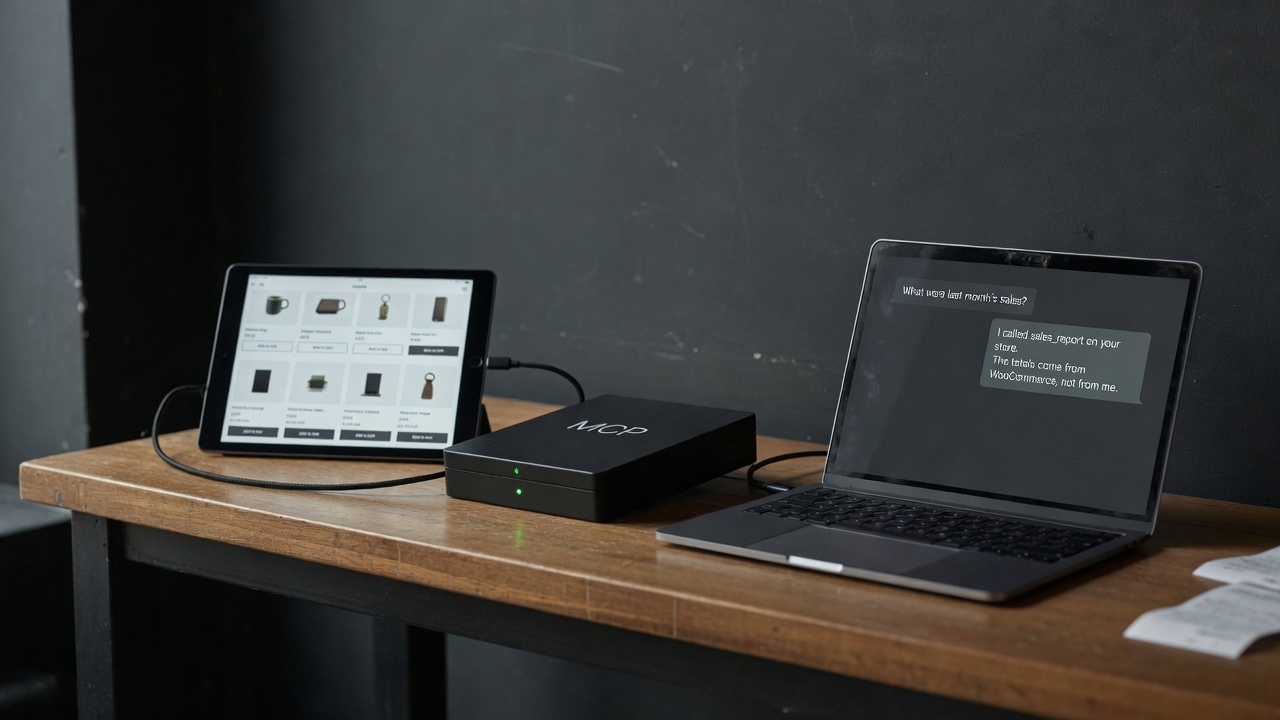
Just as a laptop does not require a bespoke driver for every keyboard brand because it relies on a standardized port and data contract, an AI assistant needs a uniform protocol to interact with external tools. In MCP terminology, a tool is a named, deterministic verb with a strict JSON Schema input definition and predictable JSON output.
Once an AI client supports MCP, it can connect to any compliant server: a code repository, an issue tracker, a store database, or an agency site like wppoland.com.
The three pieces in practical terms
An MCP implementation consists of three primary components:
- The Client: The application or assistant you interact with (e.g., Claude Desktop, Claude Code, Cursor IDE, Windsurf). The client manages the context window, parses user intent, and determines when to invoke specific tools.
- The Server: A lightweight program or edge function (on wppoland.com, a Cloudflare Pages Function) that advertises tool manifests and handles execution requests. It is not WordPress or a PHP plugin.
- The Tool: A single deterministic action. On our public endpoint, two tools are exposed:
check_servicesandrequest_quote.
The flow is straightforward: the client queries available tools (tools/list), the model selects a tool and provides validated parameters, the server executes the handler and returns structured data, and the model synthesizes a precise answer for the human user.
Interacting with the live endpoint step by step
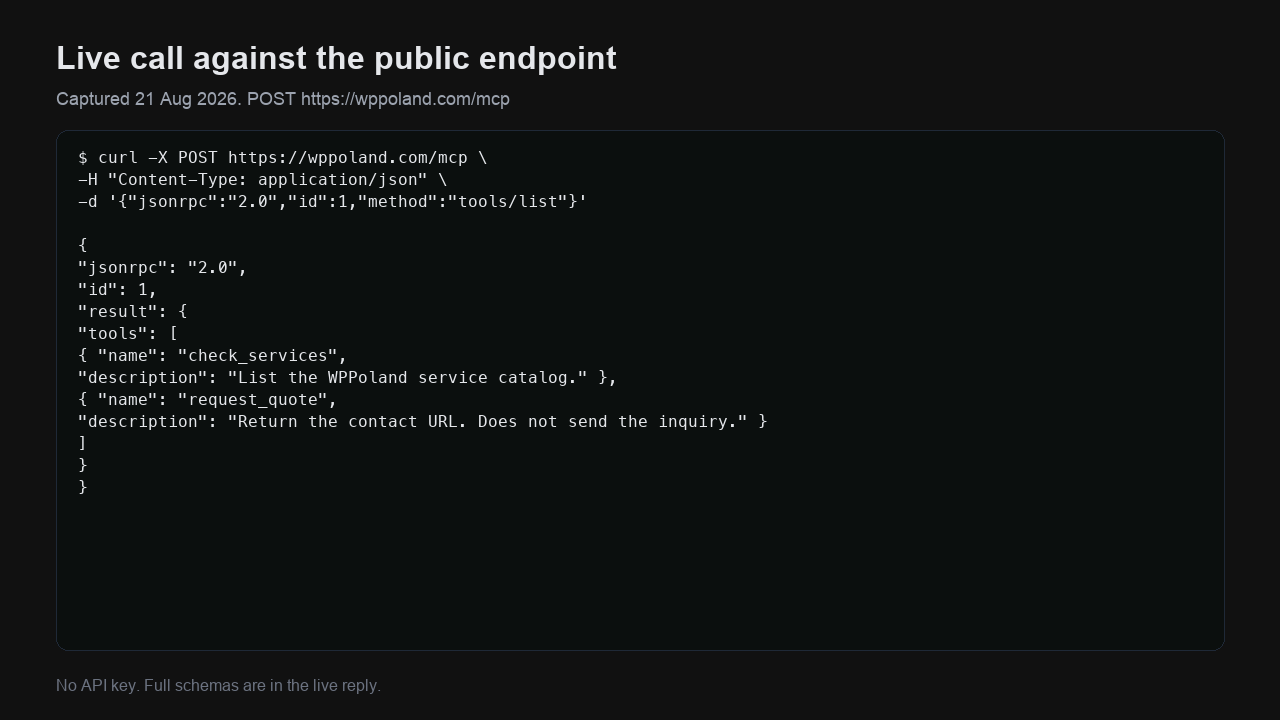
You can test the endpoint directly from your terminal using curl without writing any AI orchestration code:
curl -s -X POST https://wppoland.com/mcp \
  -H "Content-Type: application/json" \
  -d '{"jsonrpc":"2.0","id":1,"method":"tools/list"}'
The response returns a manifest containing tool declarations and JSON Schema definitions:
{
  "jsonrpc": "2.0",
  "id": 1,
  "result": {
    "tools": [
      {
        "name": "check_services",
        "description": "List or search WPPoland services catalog with localized canonical URLs.",
        "inputSchema": {
          "type": "object",
          "properties": {
            "query": {
              "type": "string",
              "description": "Optional search term to filter services"
            },
            "lang": {
              "type": "string",
              "enum": ["pl", "en", "de", "nb", "es", "pt-pt"],
              "description": "Target language for service titles and URLs"
            }
          }
        }
      },
      {
        "name": "request_quote",
        "description": "Get localized contact URL and brief submission instructions.",
        "inputSchema": {
          "type": "object",
          "properties": {
            "project_type": {
              "type": "string",
              "description": "Type of project (e.g. mcp-server-development, woocommerce, audit)"
            },
            "lang": {
              "type": "string",
              "enum": ["pl", "en", "de", "nb", "es", "pt-pt"],
              "description": "Preferred language for the inquiry"
            }
          }
        }
      }
    ]
  }
}
The server also supports standard browser discovery. Sending a GET request to https://wppoland.com/mcp returns server status and points to the discovery server card:
https://wppoland.com/.well-known/mcp/server-card.json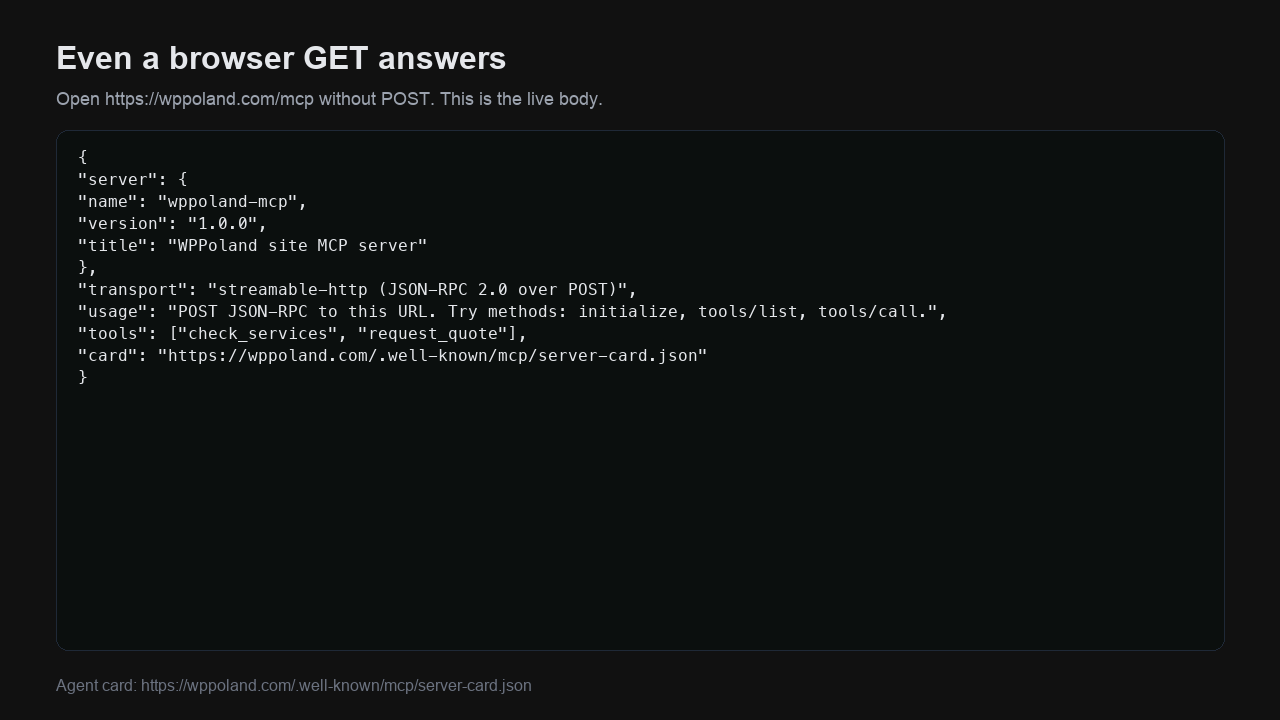
This card informs agents that the transport is Streamable HTTP, authentication is not required, and capabilities are limited strictly to tools (avoiding empty resources or prompts declarations).
Configuring Claude Desktop and Cursor
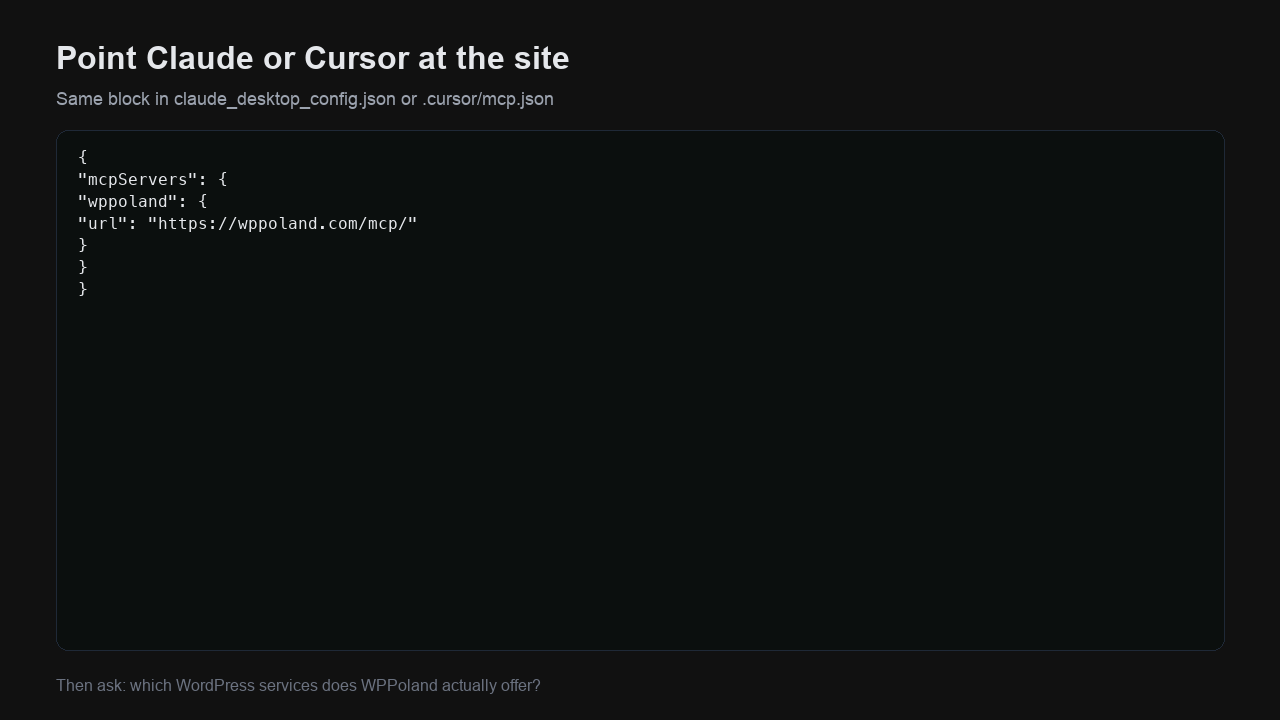
Connecting your development environment to the live endpoint takes only a few lines of configuration.
Claude Desktop configuration
In your claude_desktop_config.json (on macOS: ~/Library/Application Support/Claude/claude_desktop_config.json):
{
  "mcpServers": {
    "wppoland": {
      "url": "https://wppoland.com/mcp/"
    }
  }
}Cursor IDE configuration
In .cursor/mcp.json within your workspace or in global Cursor settings:
{
  "mcpServers": {
    "wppoland": {
      "url": "https://wppoland.com/mcp/"
    }
  }
}
Restart the client and ask: “What WordPress performance optimization and MCP development services does WPPoland offer?”. The assistant will not scrape HTML or guess - it invokes check_services with query: "mcp" and returns accurate canonical links.
Production lesson: the trailing slash that ate 90% of traffic
Deploying a public MCP server on edge infrastructure revealed a critical failure mode in automated agent traffic.
JSON-RPC over HTTP requires a POST request with an accompanying payload. Many web servers and static site generators automatically enforce canonical URLs by returning a 301 redirect from slashless paths (/mcp) to trailing-slash paths (/mcp/).
While web browsers handle 301 redirects transparently, automated JSON-RPC client libraries frequently fail:
- Some clients abort immediately upon receiving a 301, treating redirection as an unhandled protocol error.
- Other clients follow the redirect, but conform to legacy HTTP specifications by converting the redirected request into a GET, discarding the POST body entirely.
Three days of telemetry on our infrastructure showed:
- Approximately 102 daily machine requests targeting agent surfaces.
- Two-thirds of incoming agent traffic hit
/mcpor/mcp/. - On the slashless
/mcppath, we recorded 29 failed JSON-RPC calls per day against only 2 successful executions.
Fixing this within edge function middleware failed because the hosting layer enforced the 301 redirect before the function runtime executed.
The Fix: Deploying a Cloudflare Zone Rule (Transform / URL Rewrite Rule) that matches POST requests to /mcp and forwards them directly to the handler without a 301 redirect. Within 24 hours, successful 200 OK responses on /mcp reached 100%.
Key takeaway: standard browser analytics (like Google Analytics) cannot detect these failures because AI agents do not execute client-side JavaScript. Evaluating an MCP endpoint solely through pageview dashboards will blind you to systemic integration failures.
Safety architecture: why read-only is non-negotiable
The first question store owners and CTOs ask is rarely about JSON-RPC syntax; it is: “Can an AI agent accidentally refund an order, drop a table, or overwrite prices?”.
On wppoland.com/mcp, write risks do not exist because the endpoint has no write mechanisms.
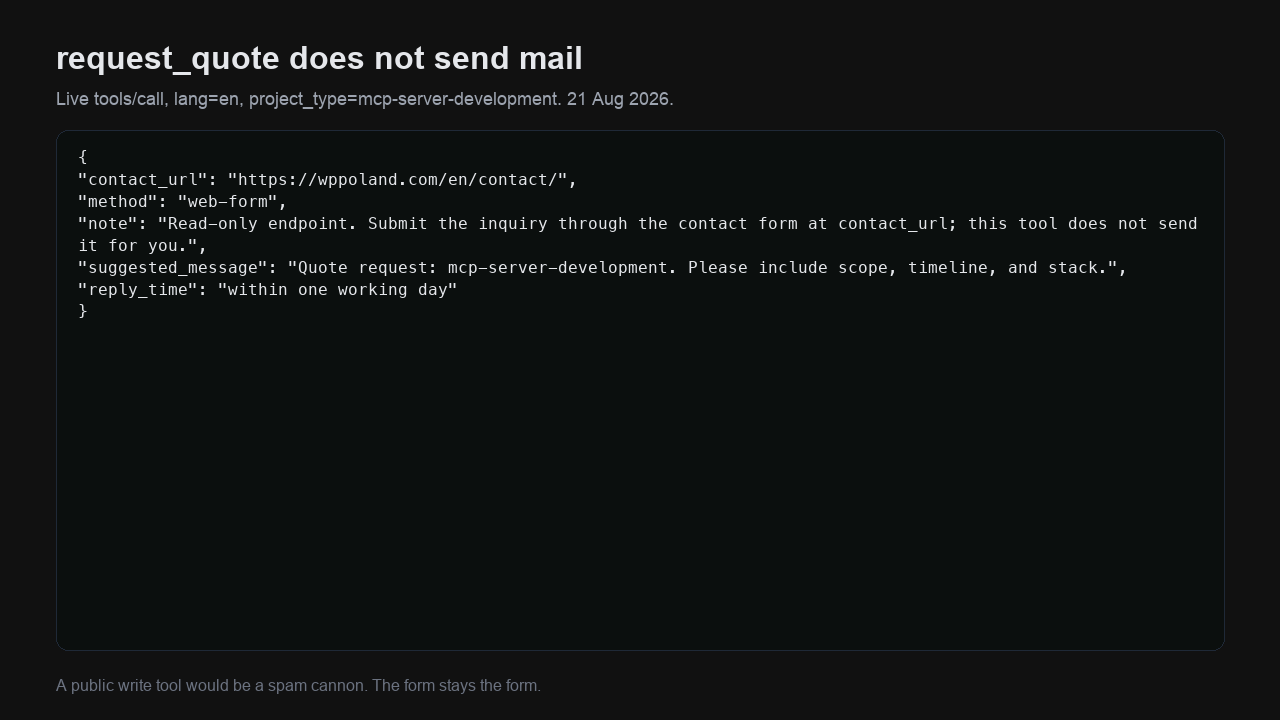
Consider the behavior of request_quote. When invoked, the server returns structured guidance:
{
  "contact_url": "https://wppoland.com/en/contact/?source=mcp",
  "method": "web-form",
  "note": "Read-only endpoint. Submit the inquiry through the contact form at contact_url; this tool does not send it for you.",
  "suggested_message": "Quote request: mcp-server-development. Please include scope, timeline, and current stack.",
  "reply_time": "within one working day"
}
Why does the tool not dispatch an email directly?
- Spam protection: An open MCP endpoint capable of sending emails would become an automated spam relay within hours.
- Eliminating prompt injection vulnerabilities: Malicious prompts cannot force state changes if the underlying handler lacks write operations.
- Defense in depth: When action is required, the assistant directs the user to a verified channel protected by CAPTCHA/Turnstile and validation guards.
The shop-side companion: woocommerce-mcp
While our website endpoint handles agency discovery, e-commerce stores require a secure interface to connect AI assistants with catalogue and order data.
To solve this, we created and open-sourced:
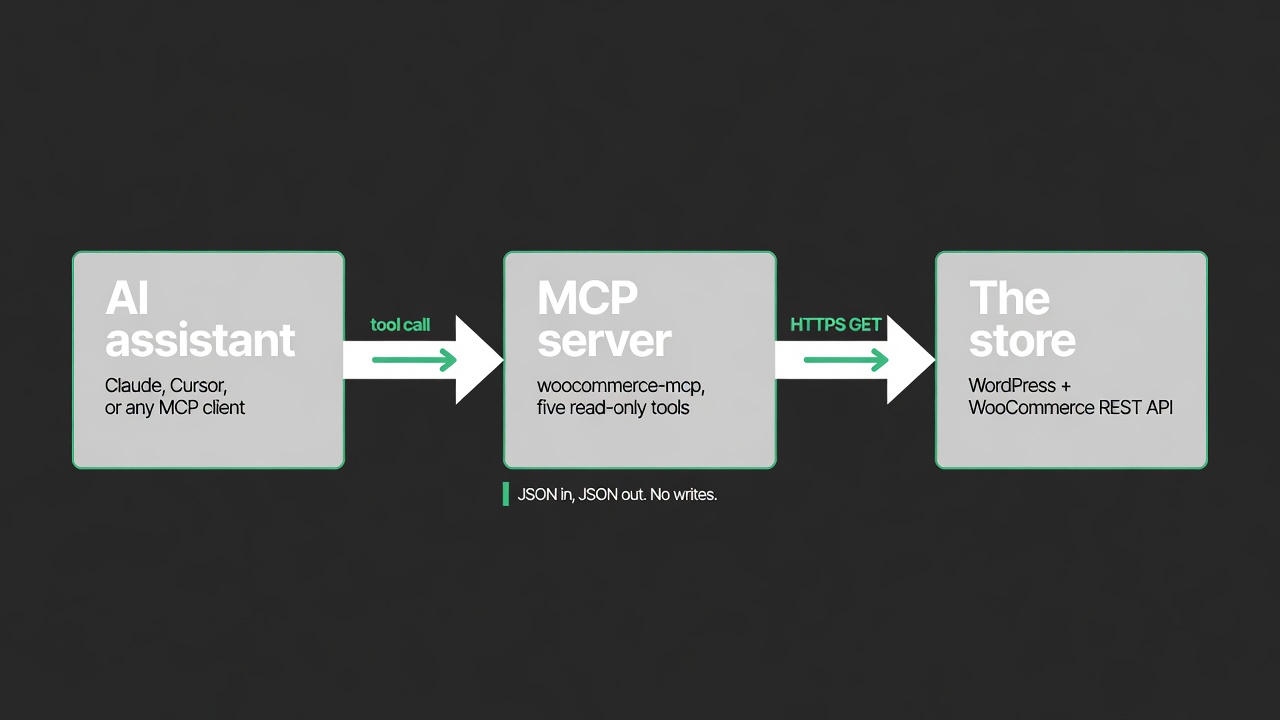
https://github.com/wppoland/woocommerce-mcpPublished to npm as @wppoland/woocommerce-mcp under the MIT license, this TypeScript server communicates directly with official WooCommerce and WordPress REST APIs. It requires no store plugin - only standard WooCommerce REST API keys configured with Read-only permissions.
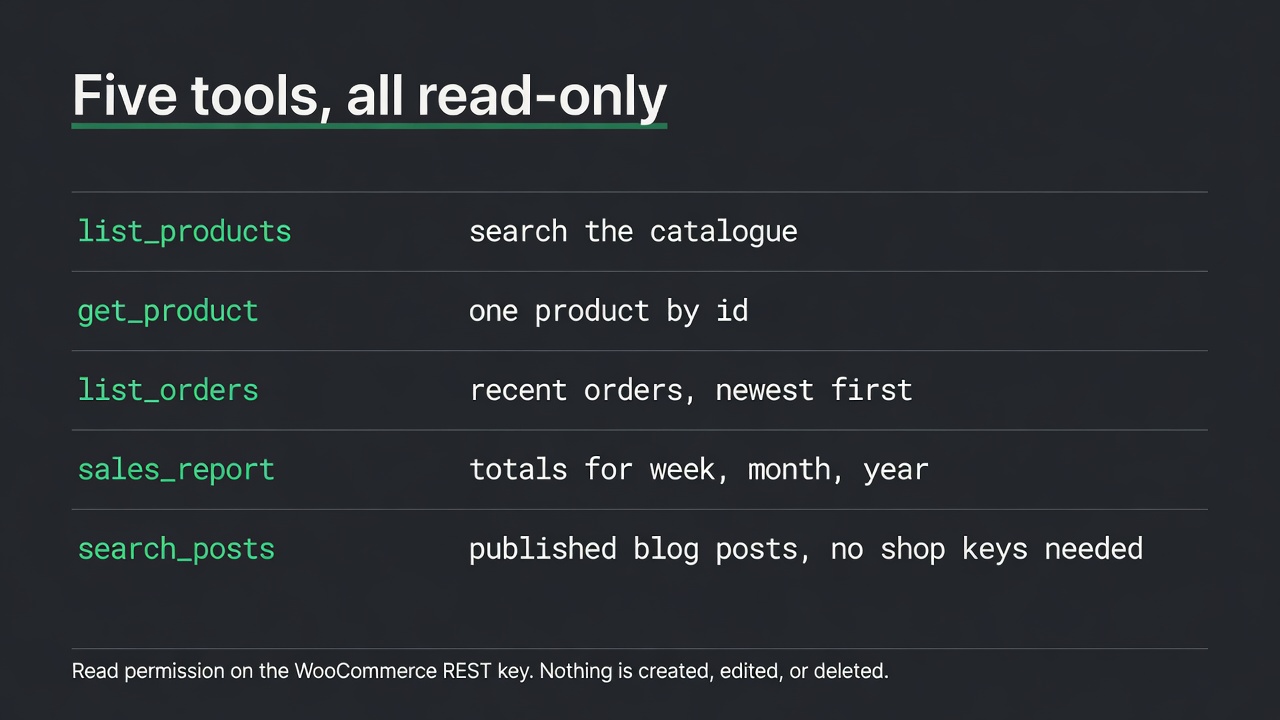
The server provides five deterministic tools:
list_products: Search products by keyword, category, and stock status.get_product: Retrieve full product details by ID.list_orders: Query recent orders with status filters (e.g.,processing,on-hold).sales_report: Aggregate sales figures (gross sales, net sales, order counts) over date ranges.search_posts: Search blog posts and knowledge base articles via public WordPress REST endpoints.
TypeScript tool implementation with Zod schema validation
Rigorous input validation prevents model drift. The following snippet from woocommerce-mcp illustrates the list_orders implementation:
import { z } from "zod";

server.registerTool(
  "list_orders",
  {
    title: "List orders",
    description: "List recent WooCommerce orders, newest first. Optionally filter by status.",
    inputSchema: {
      per_page: z.number().int().min(1).max(100).optional(),
      status: z.enum([
        "any", "pending", "processing", "on-hold",
        "completed", "cancelled", "refunded", "failed"
      ]).optional(),
    },
  },
  async ({ per_page, status }) => {
    const cfg = loadConfig(true);
    const data = await wc(cfg, "orders", {
      per_page: per_page ?? 10,
      status,
      orderby: "date",
      order: "desc",
    });

    return ok(data.map((order) => ({
      id: order.id,
      number: order.number,
      status: order.status,
      total: order.total,
      currency: order.currency,
      date_created: order.date_created,
      item_count: order.line_items?.length ?? 0,
    })));
  },
);
Two architectural details deserve special attention:
- Enum constraints: Using
z.enumprevents the LLM from hallucinating unsupported status values likealmost-paid. - Payload reduction: Raw WooCommerce order JSON objects frequently exceed 30 KB per order with full PII. The MCP handler maps the response down to operational essentials, conserving context tokens and protecting customer privacy.
Stdio pipeline rule
For local stdio MCP servers, all debug logging must write exclusively to stderr. Printing debug logs to stdout corrupts JSON-RPC framing, causing the AI client to fail with vague connection errors.
Four practical e-commerce and agency use cases
Connecting WordPress and WooCommerce to MCP unlocks significant workflow automation. Here are four verified production use cases:
Use case 1: Autonomous store operations assistant
Challenge: Store managers spend significant time navigating wp-admin to identify orders requiring manual intervention.
Solution: Claude Desktop connected to woocommerce-mcp.
Natural language prompt:
“Review the last 10 orders with status ‘on-hold’. Calculate total revenue and list any common product SKUs.”
Execution:
- Assistant calls
list_orders(status="on-hold", per_page=10). - Receives clean JSON array with totals and order IDs.
- Invokes
get_productfor associated items as needed. - Generates an executive summary table in seconds without requiring manual dashboard login.
Use case 2: Automated B2B inquiry triage
Challenge: Prospective clients inquire about specialized agency capabilities (e.g., Google Merchant API migrations, Core Web Vitals optimization). Site search engines often return irrelevant blog snippets.
Solution: Client AI assistants querying https://wppoland.com/mcp.
Execution:
- Agent queries
check_services(query="merchant"). - Receives exact service scope, prerequisites, and canonical URLs.
- Calls
request_quotewithlang="en". - Delivers an actionable response with a pre-tagged consultation link (
?source=mcp).
Use case 3: Customer support tier-1 assistance
Challenge: Support agents need real-time inventory and product data while handling tickets in Zendesk or Slack. Giving every agent wp-admin credentials creates security and operational hazards.
Solution: Internal Slack bot calling list_products and get_product via MCP.
Benefits:
- Staff type
/stock SKU-8841in Slack. - Bot queries MCP and returns current stock levels and variation data.
- Response time drops by 70% with zero write access granted to staff accounts.
Use case 4: Content orchestration in Headless WordPress
Challenge: Editors and AI writing agents in Headless architectures (Astro/Next.js frontends) need to verify that upcoming articles do not cannibalize existing content clusters.
Solution: Using search_posts to inspect published topics before drafting.
Process:
- Agent runs
search_posts(query="INP optimization"). - Reviews published slugs and update dates.
- Generates new drafts that accurately cross-link to established pillars.
Technical implementation: building a custom MCP edge function in TypeScript
For engineering teams looking to implement a custom MCP endpoint on Cloudflare Pages or Workers without external heavy SDKs, here is the reference implementation using native web standards and typed JSON-RPC dispatch:
// functions/mcp.ts - Production read-only MCP server on Cloudflare Pages Functions
import type { PagesFunction } from "@cloudflare/workers-types";

interface JsonRpcRequest {
  jsonrpc: string;
  id?: string | number | null;
  method: string;
  params?: Record<string, unknown>;
}

interface JsonRpcResponse {
  jsonrpc: "2.0";
  id: string | number | null;
  result?: unknown;
  error?: { code: number; message: string; data?: unknown };
}

const SERVER_CARD = {
  name: "wppoland-mcp",
  version: "1.0.0",
  title: "WPPoland MCP Production Server",
};

const TOOLS = [
  {
    name: "check_services",
    description: "List the WPPoland WordPress / WooCommerce service catalog: id, name, description, category, and canonical URL.",
    inputSchema: {
      type: "object",
      properties: {
        query: {
          type: "string",
          description: "Optional case-insensitive substring to filter by name, description, or category.",
        },
      },
    },
  },
  {
    name: "request_quote",
    description: "Get the canonical contact URL and instructions for quote submissions. Read-only safety.",
    inputSchema: {
      type: "object",
      properties: {
        lang: { type: "string", enum: ["pl", "en", "de", "nb", "pt-pt", "es"], description: "Preferred locale." },
        project_type: { type: "string", description: "Optional project scope or service id." },
      },
    },
  },
];

export const onRequestPost: PagesFunction = async (context) => {
  let body: JsonRpcRequest;
  try {
    body = await context.request.json();
  } catch {
    return new Response(JSON.stringify({ jsonrpc: "2.0", id: null, error: { code: -32700, message: "Parse error" } }), {
      status: 400,
      headers: { "Content-Type": "application/json", "Access-Control-Allow-Origin": "*" },
    });
  }

  const { id = null, method, params } = body;

  if (method === "initialize") {
    return new Response(JSON.stringify({
      jsonrpc: "2.0",
      id,
      result: {
        protocolVersion: "2025-06-18",
        capabilities: { tools: { listChanged: false } },
        serverInfo: SERVER_CARD,
      },
    }), { headers: { "Content-Type": "application/json", "Access-Control-Allow-Origin": "*" } });
  }

  if (method === "tools/list") {
    return new Response(JSON.stringify({
      jsonrpc: "2.0",
      id,
      result: { tools: TOOLS },
    }), { headers: { "Content-Type": "application/json", "Access-Control-Allow-Origin": "*" } });
  }

  if (method === "tools/call") {
    const toolName = String(params?.name ?? "");
    const args = (params?.arguments as Record<string, unknown>) ?? {};

    if (toolName === "check_services") {
      const q = String(args.query ?? "").toLowerCase().trim();
      const services = await fetchCatalog(new URL(context.request.url).origin);
      const filtered = q ? services.filter(s => `${s.name} ${s.description}`.toLowerCase().includes(q)) : services;
      return new Response(JSON.stringify({
        jsonrpc: "2.0",
        id,
        result: { content: [{ type: "text", text: JSON.stringify({ count: filtered.length, services: filtered }, null, 2) }] },
      }), { headers: { "Content-Type": "application/json", "Access-Control-Allow-Origin": "*" } });
    }

    if (toolName === "request_quote") {
      const lang = String(args.lang ?? "en");
      return new Response(JSON.stringify({
        jsonrpc: "2.0",
        id,
        result: {
          content: [{
            type: "text",
            text: JSON.stringify({
              contact_url: `https://wppoland.com/${lang}/contact/`,
              method: "web-form",
              note: "Read-only safety. Inquiries are processed via verified human forms.",
            }, null, 2),
          }],
        },
      }), { headers: { "Content-Type": "application/json", "Access-Control-Allow-Origin": "*" } });
    }

    return new Response(JSON.stringify({ jsonrpc: "2.0", id, error: { code: -32602, message: `Tool not found: ${toolName}` } }), {
      status: 400,
      headers: { "Content-Type": "application/json", "Access-Control-Allow-Origin": "*" },
    });
  }

  return new Response(JSON.stringify({ jsonrpc: "2.0", id, error: { code: -32601, message: `Method not found: ${method}` } }), {
    status: 404,
    headers: { "Content-Type": "application/json", "Access-Control-Allow-Origin": "*" },
  });
};Telemetry, observability, and real-time usage tracking
Enterprise systems require full visibility into agent interactions. To track MCP traffic without capturing sensitive client data or slowing down execution, we employ edge telemetry with in-memory ring buffers and zero external dependencies:
// Telemetry collector pattern on edge workers
interface TelemetryRecord {
  timestamp: string;
  method: string;
  tool?: string;
  client: string;
  country: string;
  durationMs: number;
}

const recentEvents: TelemetryRecord[] = [];
const stats = {
  totalRequests: 0,
  toolsCalled: {} as Record<string, number>,
  topClients: {} as Record<string, number>,
};

export function recordMcpInvocation(req: Request, method: string, tool?: string, durationMs = 0) {
  stats.totalRequests++;
  if (tool) stats.toolsCalled[tool] = (stats.toolsCalled[tool] || 0) + 1;

  const ua = req.headers.get("user-agent") || "unknown";
  const clientName = parseClientName(ua, req.headers.get("x-client-name"));
  stats.topClients[clientName] = (stats.topClients[clientName] || 0) + 1;

  const country = req.headers.get("cf-ipcountry") || "XX";

  recentEvents.unshift({
    timestamp: new Date().toISOString(),
    method,
    tool,
    client: clientName,
    country,
    durationMs,
  });

  if (recentEvents.length > 200) recentEvents.pop();
}
This telemetry engine enables site operators to inspect live stats by running:
curl -s "https://wppoland.com/mcp?stats=true" | jq .The response returns real-time breakdowns of JSON-RPC methods, active tool calls, top AI agent client environments (Claude Code, Cursor, Windsurf), and geographic origin distributions without persistent database overhead.
What MCP is not: clearing common misconceptions
- Not a frontend chat widget: Chat widgets talk to website visitors in browsers. MCP is a machine-to-machine protocol designed specifically for autonomous AI agents and IDE assistants.
- Not an ERP replacement: Enterprise inventory synchronization between SAP and WooCommerce requires deterministic bidirectional pipelines. MCP provides read access for AI analysis and decision support, not high-throughput batch replication.
- Not automatic GDPR compliance: Read-only API keys still access customer and order records. Custom MCP tools must explicitly strip Personal Identifiable Information (PII) before data enters the LLM prompt context window.
- Not the end of wp-admin: Complex configuration, template customization, database indexing, and plugin updates still require experienced developer oversight.
Security hardening: prompt injection and data exfiltration defenses
Exposing tools to autonomous language models requires deliberate defense-in-depth engineering. Because language models process both system instructions and retrieved tool outputs within the same attention context, malicious content in user reviews, order notes, or forum comments could attempt prompt injection attacks against downstream tool execution.
Defensive design principles for WordPress MCP servers:
- Strict schema validation with Zod: Every incoming parameter must match an exact schema with strict bounds on string length, integer ranges, and allowed character sets. Reject unexpected properties before parsing.
- Context boundary escaping: All Markdown and text returned by tools must be sanitized to escape structural delimiters (like system prompt separators or code fence injections).
- Zero-PII transmission: Customer email addresses, phone numbers, delivery addresses, and IP logs must be stripped at the edge layer before data leaves the Cloudflare Worker.
- Deterministic tool outputs: Tools should return concise, structured JSON payloads rather than unbounded raw HTML. This reduces prompt token bloat and prevents hallucinated parameter parsing.
// Zod schema validation example for secure product queries
import { z } from "zod";

export const ProductQuerySchema = z.object({
  query: z.string().trim().max(100).regex(/^[a-zA-Z0-9\s\-_]+$/, {
    message: "Search query contains disallowed characters",
  }).optional(),
  category: z.string().trim().max(50).optional(),
  limit: z.number().int().min(1).max(25).default(10),
});Comparison: Model Context Protocol vs Custom OpenAI Function Calling
| Evaluation dimension | Model Context Protocol (MCP) | Custom Function Calling (Proprietary) |
|---|---|---|
| Standardization | Universal open standard under Linux Foundation / Agentic AI Foundation | Vendor-specific schemas (OpenAI, Anthropic, Google formats) |
| Client interoperability | Single server works across Claude, Cursor, Windsurf, Zed, CLI | Requires custom adapter glue code for each client platform |
| Transport support | Streamable HTTP, SSE (Server-Sent Events), stdio | Raw HTTPS REST POST with bespoke payload envelopes |
| Tool discovery | Dynamic tools/list negotiation with runtime JSON schema | Hardcoded prompt definitions in client configuration |
| Vendor lock-in | Zero lock-in; open-source implementations in TS, Python, Go | Proprietary format dependencies tied to specific LLM providers |
| Edge compatibility | Runs natively on Cloudflare Pages, Workers, Vercel, Node | Requires custom backend server or proxy infrastructure |
Production architecture: separation of concerns
For enterprise WordPress and WooCommerce deployments, we recommend three distinct tiers:
- Transactional Record: WooCommerce or an integrated ERP maintains authoritative catalogue, pricing, and order state.
- Editorial Content: Managed in WordPress or static Markdown/MDX files for optimal authoring workflows.
- MCP Tooling Layer: Deployed as isolated edge functions (Cloudflare Workers / Pages) with strict rate limiting, ensuring agent requests never degrade live checkout performance during peak traffic spikes.
Conclusion and next steps
Deploying wppoland.com/mcp and open-sourcing woocommerce-mcp on GitHub demonstrates that connecting WordPress with modern AI agents does not require heavyweight plugins or security compromises.
By adhering to the Model Context Protocol standard, edge infrastructure, and a strict read-only model, web platforms can expose safe, scalable interfaces for the next generation of AI tooling.
To build a custom MCP server tailored to your WooCommerce store or enterprise architecture, explore our MCP server development services or test the live endpoint directly from your terminal.